
🤓 The 2026 Local Search Ranking Factors are here!! Check out the report!

In the past, the place where you’d go to edit your Profile was called the “Google My Business Dashboard”. Makes sense, right? But then Google decided to rename it to the “New Merchant Experience” (or NMX for short). Why? Because Google is terrible at naming things – that’s why.
Anyway, here’s how to get to the NMX:
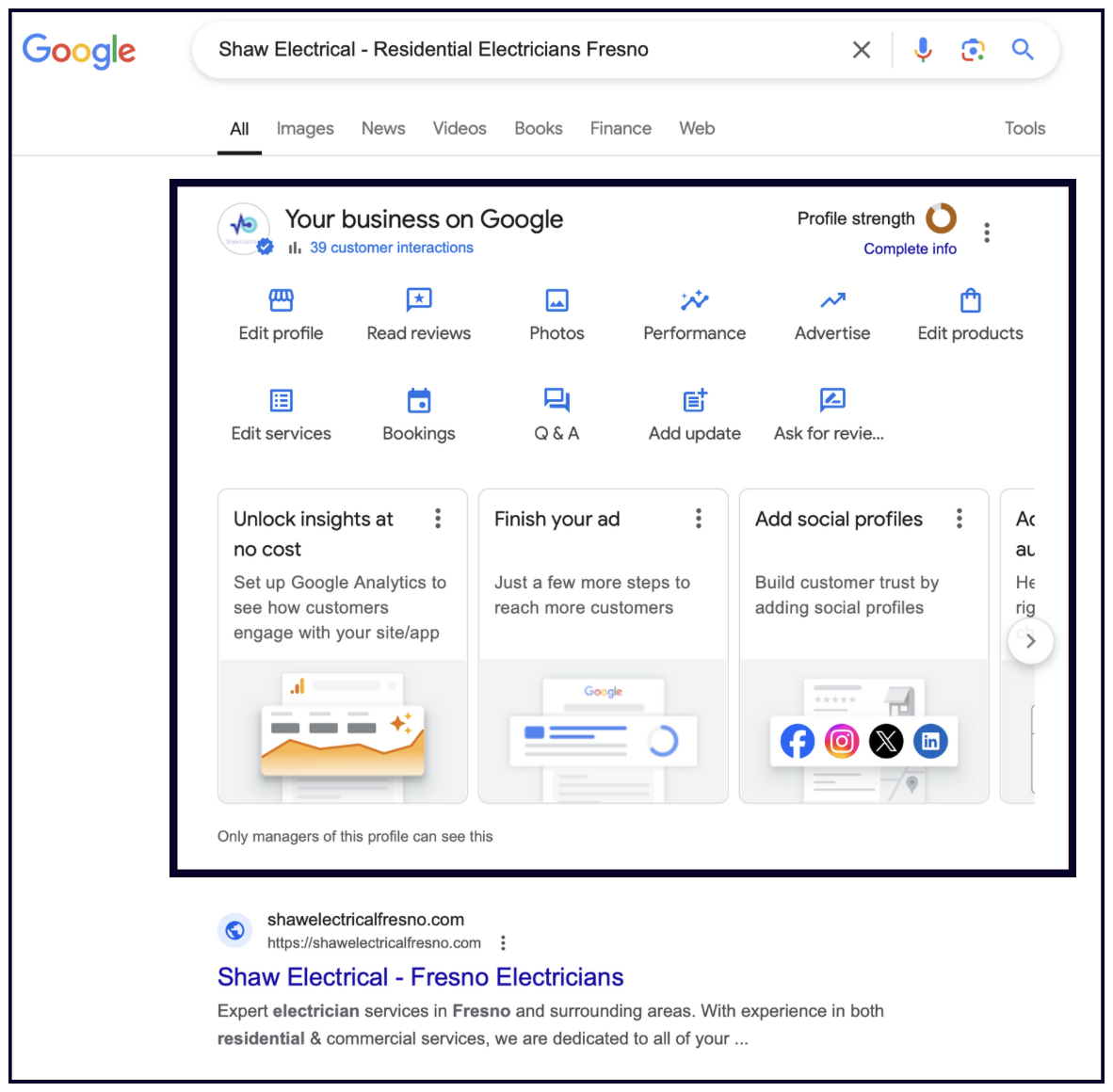
The features available to your business in this section will depend on your business category, country, and other factors. For example, not every business will have the “Bookings” feature.
✍️ Note: If you manage multiple locations, you can go to this URL to access them: https://business.google.com/manage/
Okay, you’ve claimed your Google Business Profile. Now it’s time to optimize it! You should complete every field Google provides — this will help your Profile rank and convert better. We’ll walk you through each field below.
Your Google Business Profile can be edited in Google’s NMX, or you can use software like Whitespark’s Local Platform, which not only costs $1/month, but is also super slick and intuitive.
As a reminder, in order to get to the NMX, go to Google and search either your full business name and address, or simply type in “my business”.
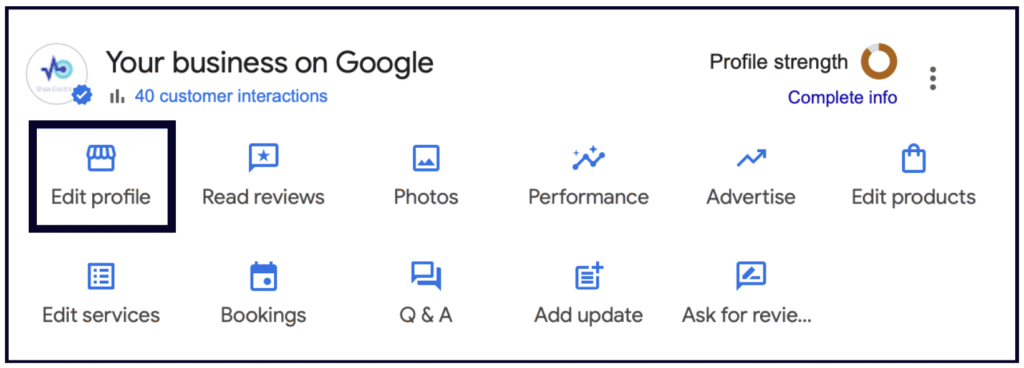
To update your business details in the NMX, click “Edit Profile” in the top left of the NMX:
Then, choose the section you’d like to edit. Here you’ll find the About, Contact, Location, Hours, and More sections:
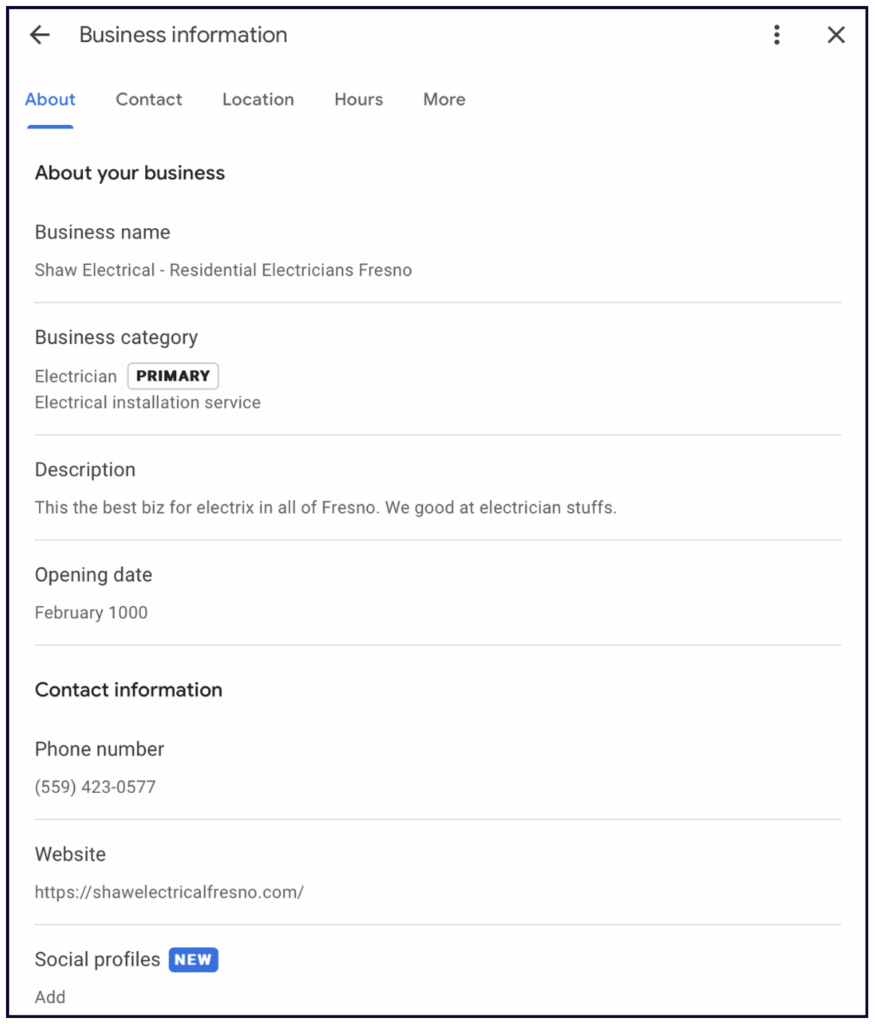
Maximize the benefits of your Profile by filling out all of the information possible.
Section 3 of this guide – ‘Optimising your GBP’ covers many of the elements of Google Business Profile in more detail.
In this section we’ll cover some super important parts of Google Business Profile that you should go ahead and complete right away. For your convenience, we have clarified whether or not each field will impact your local rankings.
What’s the secret to ranking #1 on Google?
Add keywords to your business name (with the caveats below).
Having keywords in your business name is the #3 local pack ranking factor in the 2026 Local Search Ranking Factors survey.
The GBP business name holds a lot of weight because of “branded search”: Google can’t know if you’re searching for a keyword or a specific business; if there is a specific company whose name is a very close match to what you searched, then Google must return it in case you are looking for that specific business.
This is why many businesses add keywords to their business name on Google. We call this “keyword-stuffing”.
There is a slight problem, though. Officially, stuffing keywords in your business name is against Google’s guidelines. It’s rare for Google to suspend a Profile for keyword-stuffing the name, but they will often remove the keywords that are not part of your official business name.
However, there are ways to avoid this:
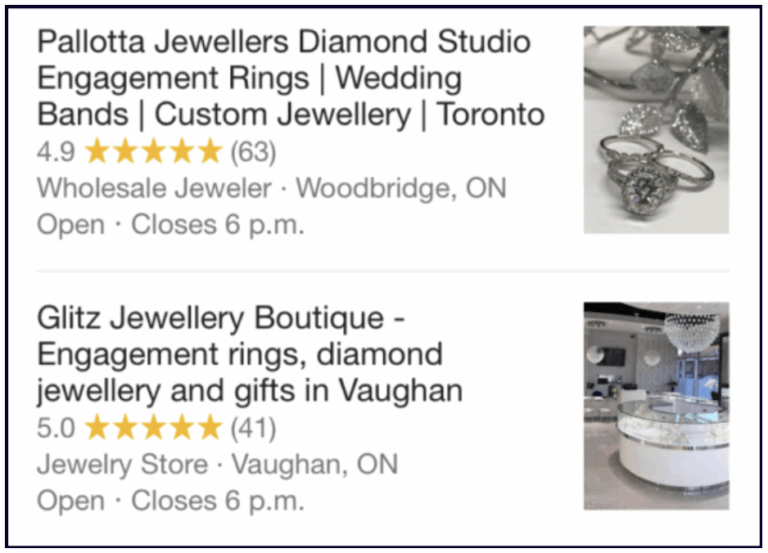
For a deeper dive on this, check out Darren’s video on keywords in the business name. And if you want to see the impact of keywords in the business name for yourself, just look what happened to this business’s rankings once they changed their name.
Let’s get something straight: the description field does NOT impact your local rankings.
This has been tested numerous times by many local SEO experts, and we have even heard it direct from Google that they don’t use this field in the ranking algorithm.
So, when it comes to writing your description, make sure you:
Imagine you are writing copy for an advertisement. How would you write that to convince someone to choose your business? You would use these 750 characters to tell your potential customers why your company is the right fit for them!
Make sure your description is well-written and compelling, and that it shows some personality, like the example below:

If you want to explore the description field further, check out this video on how to “optimize” your description.
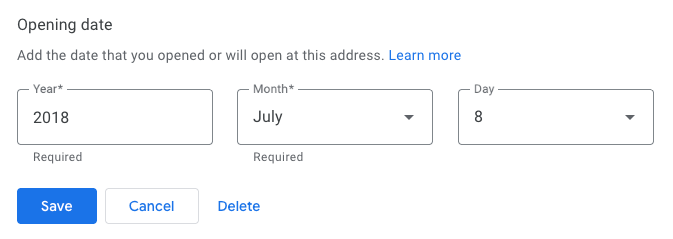
Add the year and month of your business’s opening to help Google determine how long your business has been in operation.
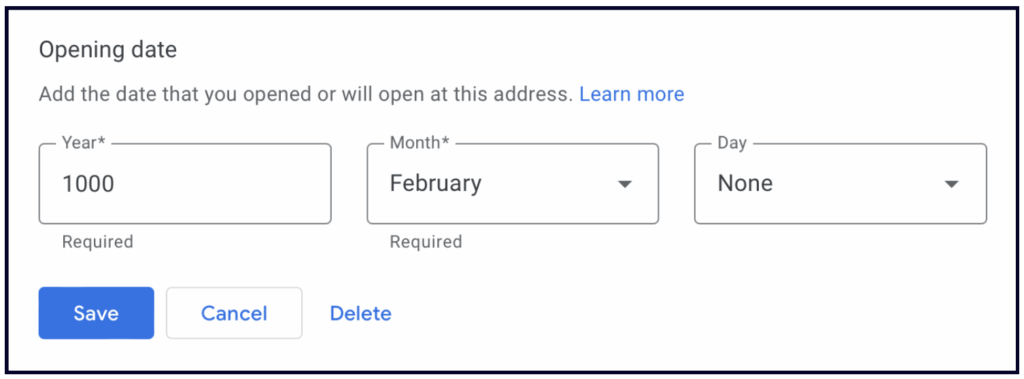
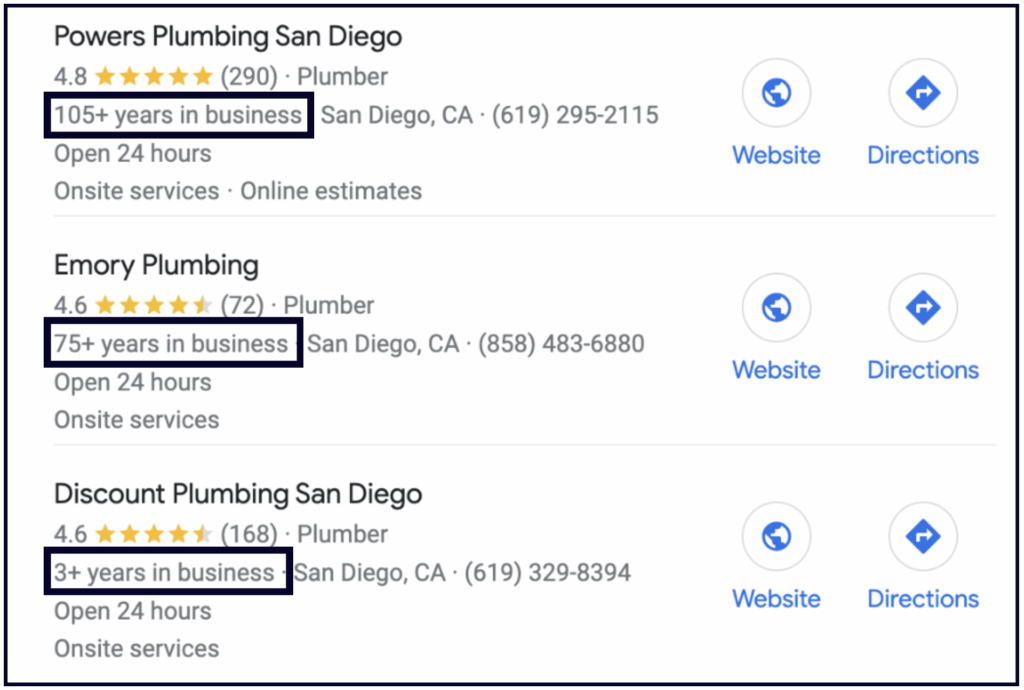
If you have multiple locations, it’s up to you whether you add the date your business started or the date you opened at that location. Keep in mind that Google often uses this information to display a note on your Profile that says, “__ Years in Business” which can build trust with searchers:
💡 Tip: you can create your Google Business Profile before your official opening date, and there are multiple benefits of doing so.
Use this field in Google Business Profile to establish credibility, showcase longevity, and inform customers about new, upcoming, or established locations. Google *sometimes* uses this data to display “years in business” labels on Search and Maps. You can set an opening date up to one year in the future, but it will not appear publicly until 90 days before that date – don’t forget you’ll need to verify the listing!
Add the phone numbers associated with your business here. List your primary number first, then add up to two secondary numbers (e.g. a toll-free number) in the fields below.
If you use a call-tracking number, list that number as your primary, and your actual business number as your secondary.
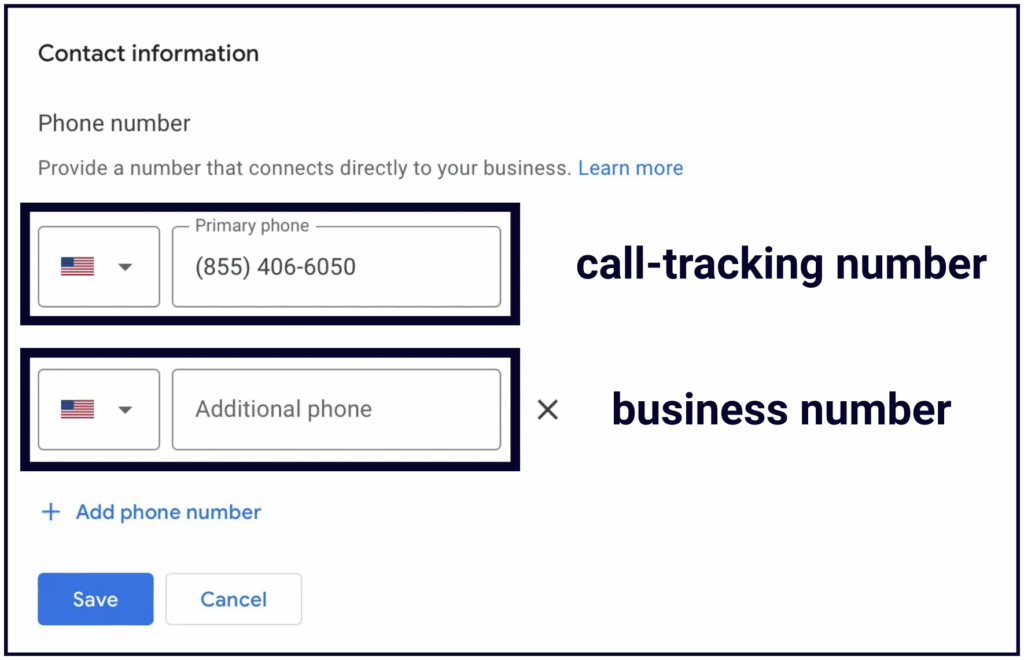
And no, before you ask, this will not cause a problem for your citation consistency. Since you’ve put your business number as an additional number, all your listings on the web will stay connected to your Profile, and Google will have no problem associating your citations with your GBP.
We strongly recommend using a call-tracking number, as the call data in your GBP Performance section only shows the number of people who tapped the “Call” icon on your Profile on mobile. Desktop calls aren’t captured. You can learn how to add call tracking numbers to your Google Business Profile here.
Where you link your profile to will depend on how many locations you have. We recommend that you link to your homepage if your business has up to 3 locations. Be sure that you equip your homepage with content that relates to your primary category, top keywords, and business. This can make a huge difference in your ability to rank in the local pack.
If your business has more than 4 locations, then you could consider creating individual location landing pages.
💡 Tip: Don’t forget to add a UTM tag to your website link to track traffic from your Google Business Profile.
‼️ Important note: Making changes to your profile’s core information (name, category, address, phone number, and website) should be approached with caution, as they can sometimes lead to the profile being flagged by Google and unverified or suspended.
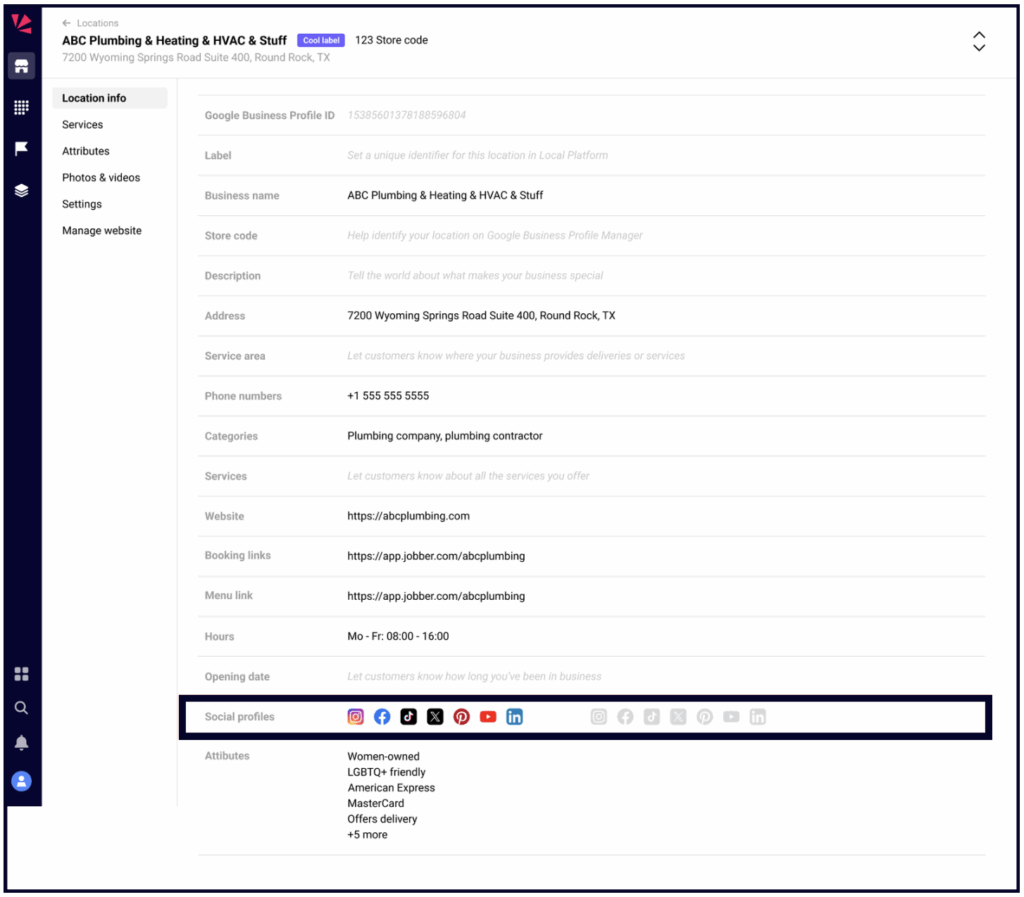
Add all the social profiles you have. We haven’t seen any research showing that these have any direct impact on your local rankings, but the more information Google has about your business, the better.
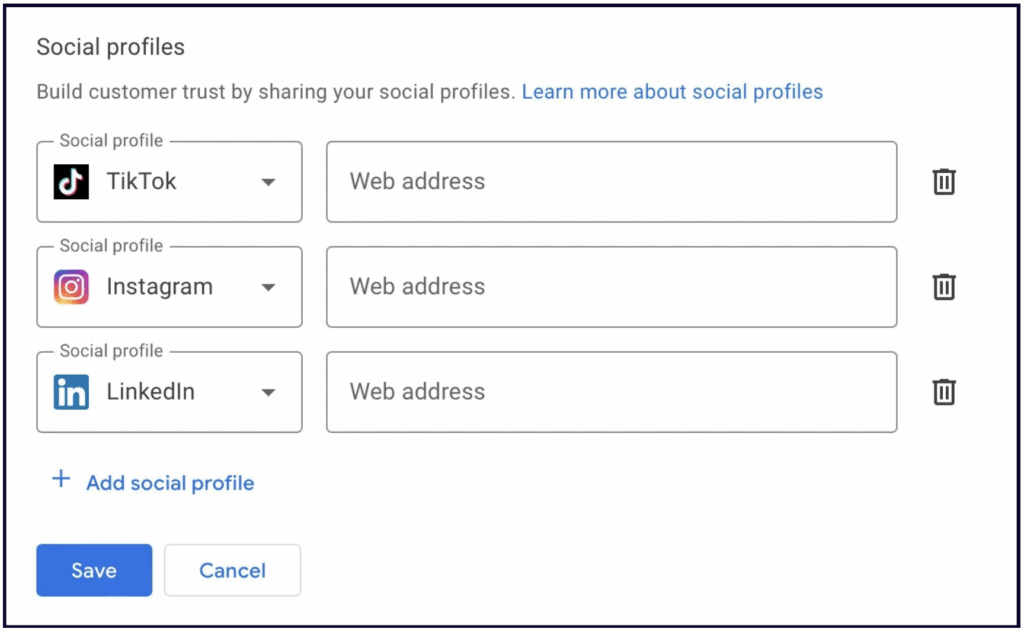
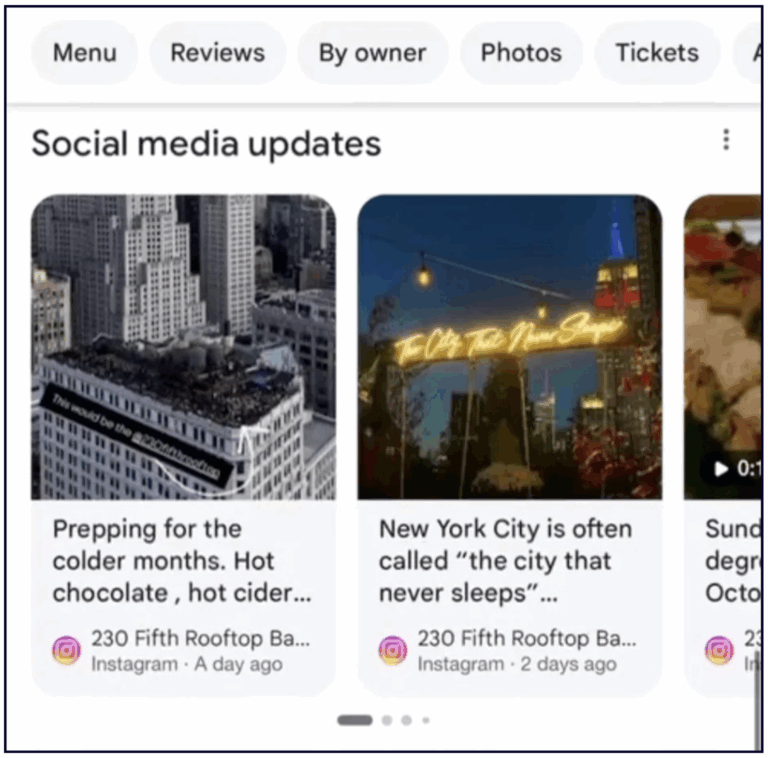
Plus, Google now sometimes displays your social media posts on your Google Business Profile, so keep that in mind when you execute your social media strategy. We have some thoughts on this.
You can also manage these in Whitespark’s Local Platform.
How you fill out your location information depends on the type of business you have. Below are instructions for physical location businesses and service area/hybrid businesses.
One of the most important things to remember about your address is that businesses that show their addresses on their Google Business Profile must make IN PERSON contact with their customers at that location.
The location must have permanent signage, and the location cannot be a PO box or a virtual office. If you’re using a co working space you’ll need to have permanent signage and your own dedicated office at that location. The location will need to be staffed by your staff during the opening hours.
If customers can visit you in person, then you may make your address visible on the Profile.
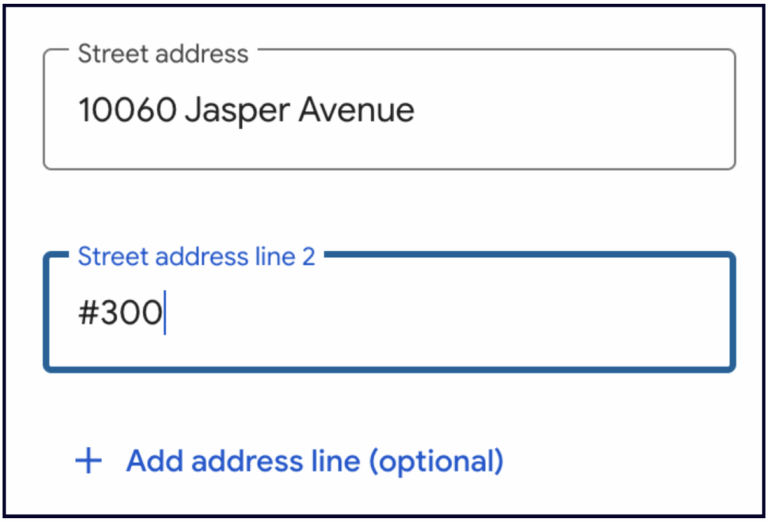
The current recommended best practice for suite numbers is to place them on the second address line and enter it like this: #300. Google ignores suite numbers for ranking and verification, but you should add suite numbers to help your customers find you easier.
“Located within” is not a Google Business Profile feature that shows up in the NMX. It is actually a Google Maps feature, and to access it you need to edit the information directly on the Business Profile in Search or Google Maps via the “Suggest an edit” button:
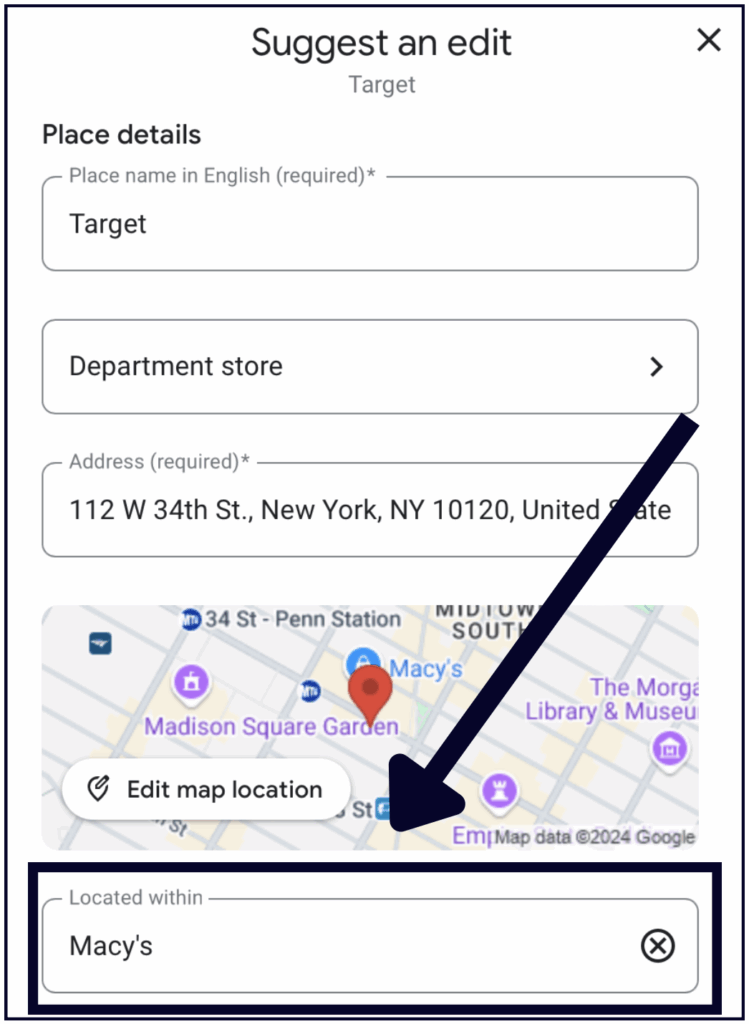
You will see the “Located within” feature for:
If you’re located in another building or business and you think this feature would benefit both your business and searchers, you should add it to your GBP via the Suggest an Edit button, as shown above.
You can also use Suggest-an-Edit to remove the Located In feature from your GBP if Google Maps is incorrectly displaying your business within another location. If your edit is not approved, you can take it a step further and contact business support.
If customers do not come to you, then you should define a service area based on the regions, cities, Zip/Postal Codes, or districts that your business serves. When updating your business information, you have the option of entering your address, service area, or both.
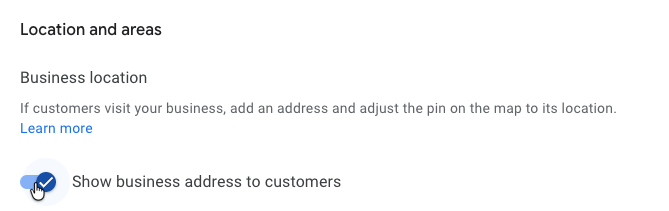
Your business can set a maximum of 20 service areas and should be no farther than up to 2 hours of driving time from your base of operations.
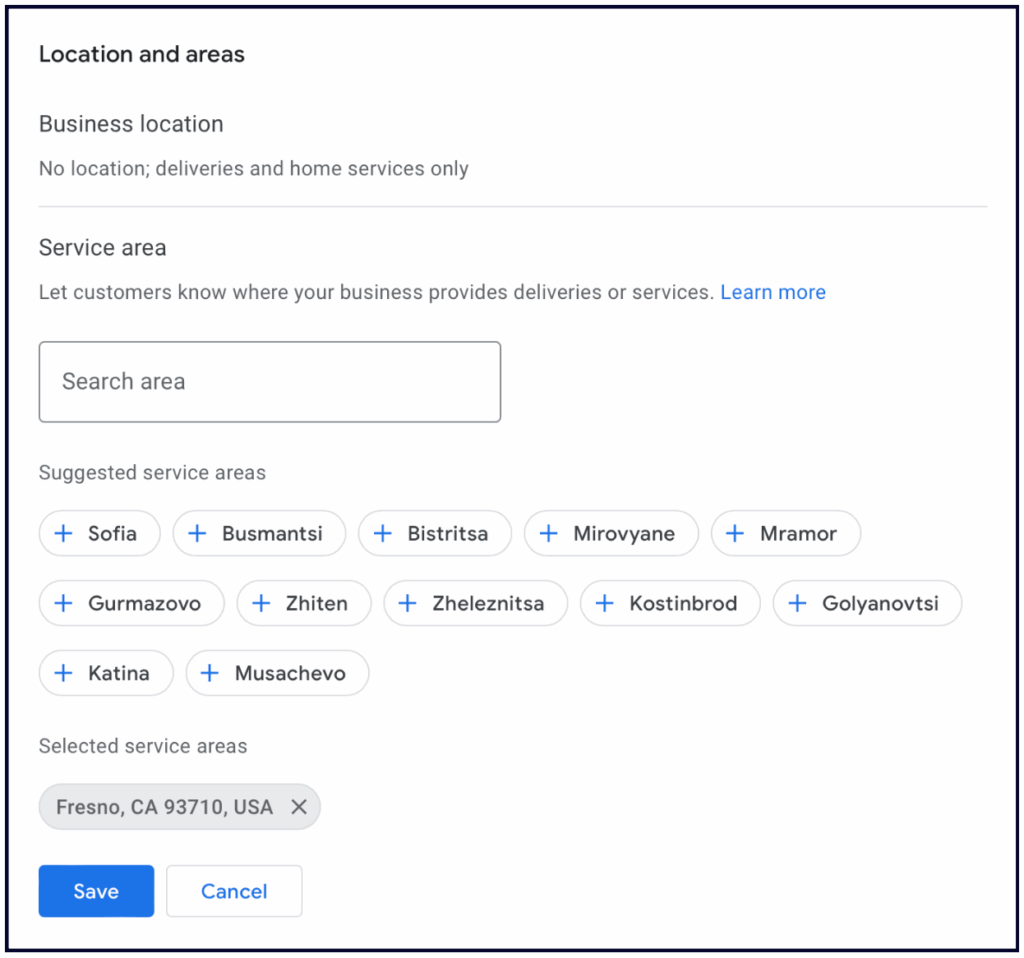
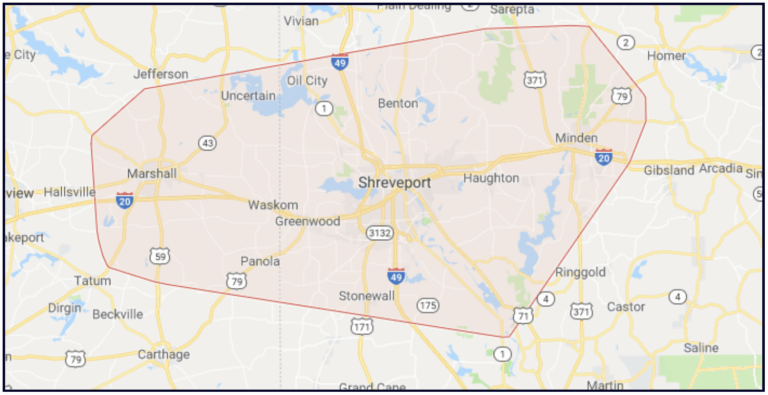
‼️ Important note: Service Areas do NOT impact rankings. If you tell Google the areas you serve, this will draw a red outline on the map Google displays with your business, but it will have no impact on your ability to rank in those areas. Google’s local rankings are based around the address you verified your business at.
This is stupid, I know. Sorry, I don’t make the rules, Google does.
Add your regular business hours and use the Special Hours feature for holiday hours or irregular/one-off changes in business hours for team days, events, etc. It’s important to keep your hours updated, as incorrect hours can result in bad reviews from customers who drove all the way to your business only to realize that you’re closed.
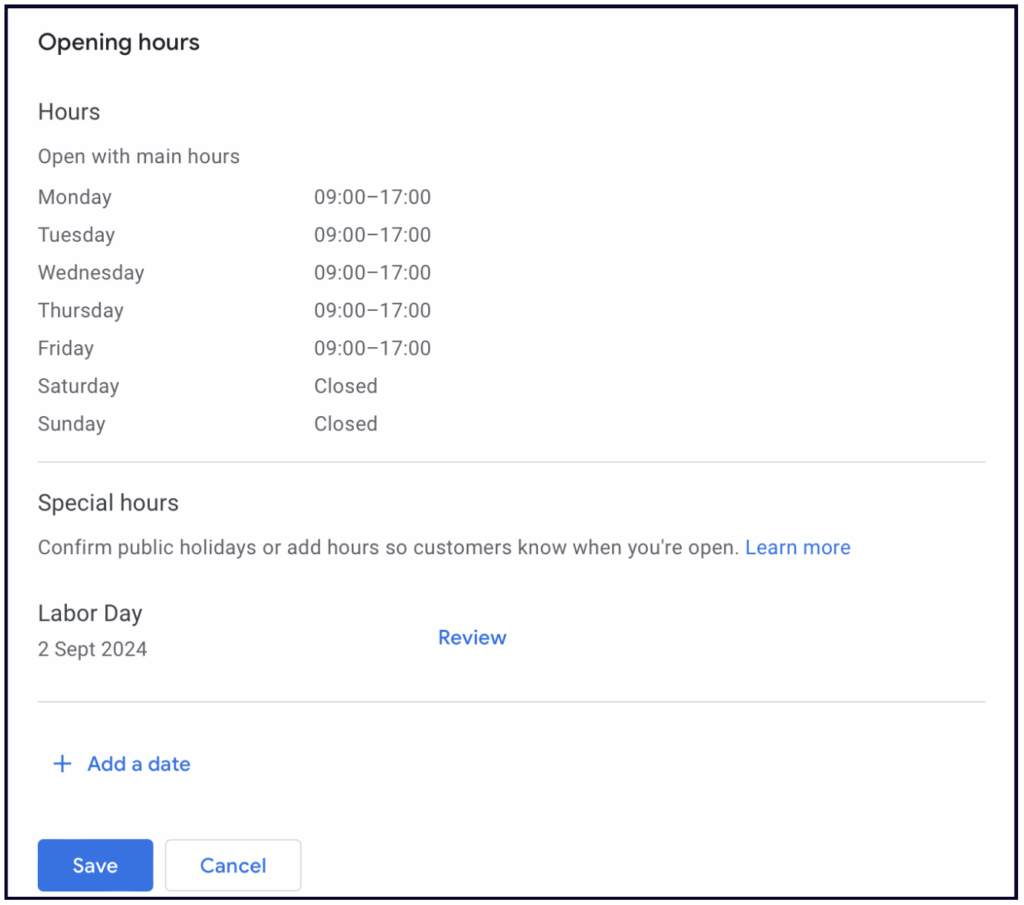
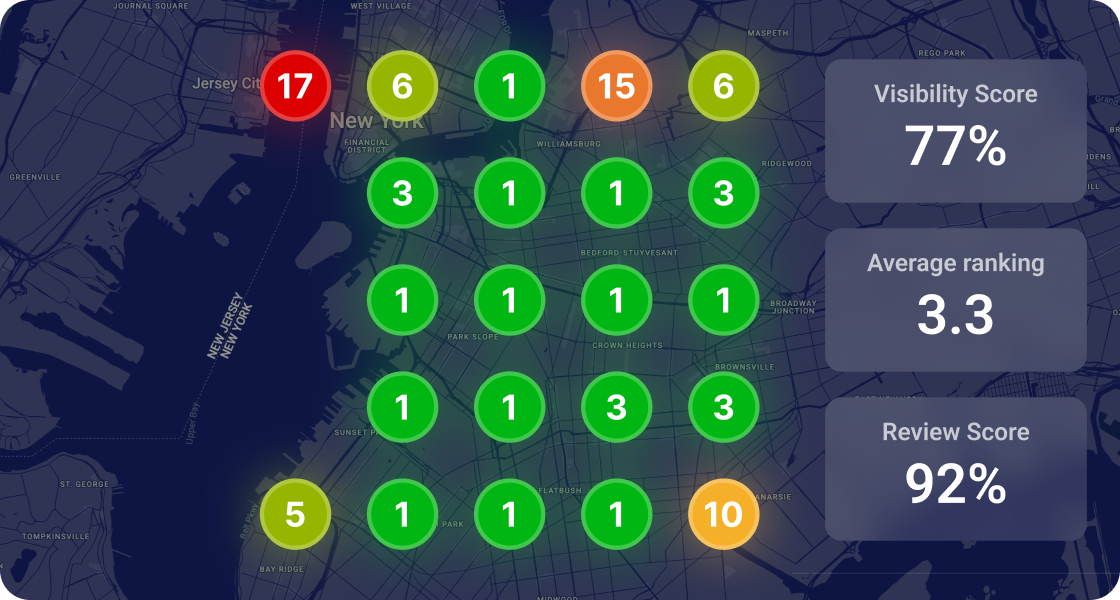
It’s also essential to know that this field impacts rankings. Google displays businesses that are currently open higher than those that are closed. So, if your business, which closes at 6pm, usually shows up higher than John’s business, but John’s business is open 24/7, then John may outrank you from 6pm until you open the next day.
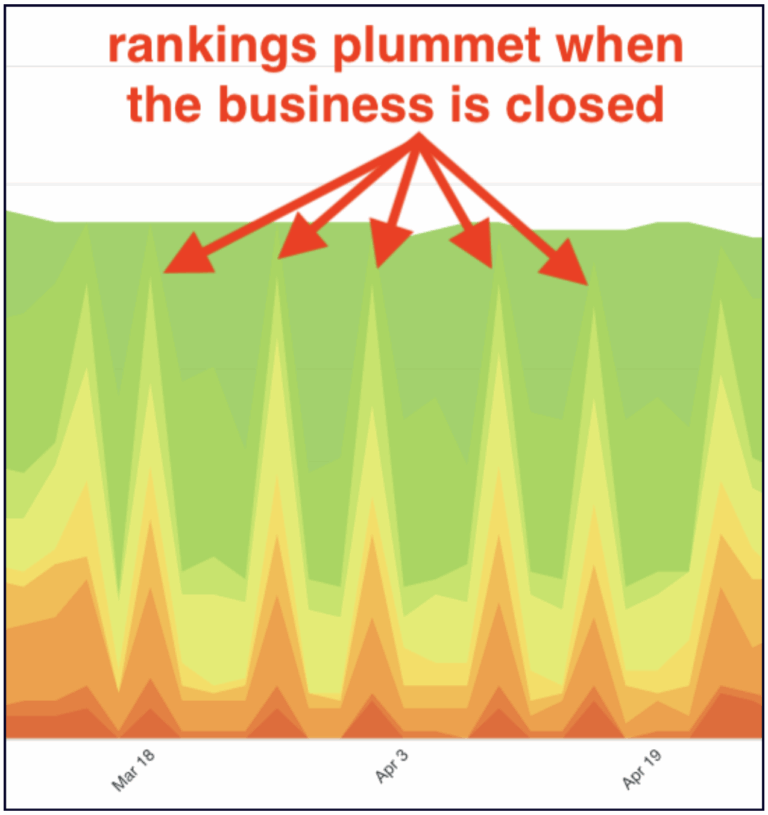
The red and orange spikes represent this business’s ranking drops on the days when they are closed (Screenshot from the Whitespark Local Rank Tracker)
Knowing this, you might be tempted to set your hours to “Open 24/7” — this works just fine if customers can come in 24 hours a day, or, in the case of Service Area and appointment-only businesses, if someone is there to answer the phone 24/7.
However, if you change your hours, but you are not actually open (or you don’t answer the phone) 24/7, you are risking doing more harm than good to your business. You might frustrate customers who call your business or show up at your door when you’re actually closed, which could lead to negative reviews.
It may not make sense to set your hours to 24 hours, but you could consider extending your hours. If most of your competition closes at 5pm, and you’re open until 7pm, then Google will boost your rankings during those 2 hours, and more people will end up contacting your business during that time frame.
💡Tip: Don’t forget to adjust your rank tracking software to check rankings during your opening hours if you want to get a true sense of how your business ranks.
If you’re considering getting a rank tracker, the Whitespark Local Rank Tracker is perfect for this: You can specify the time that you want it to check your rankings, which allows you to precisely track your performance during open hours and understand how you compare to the competition.
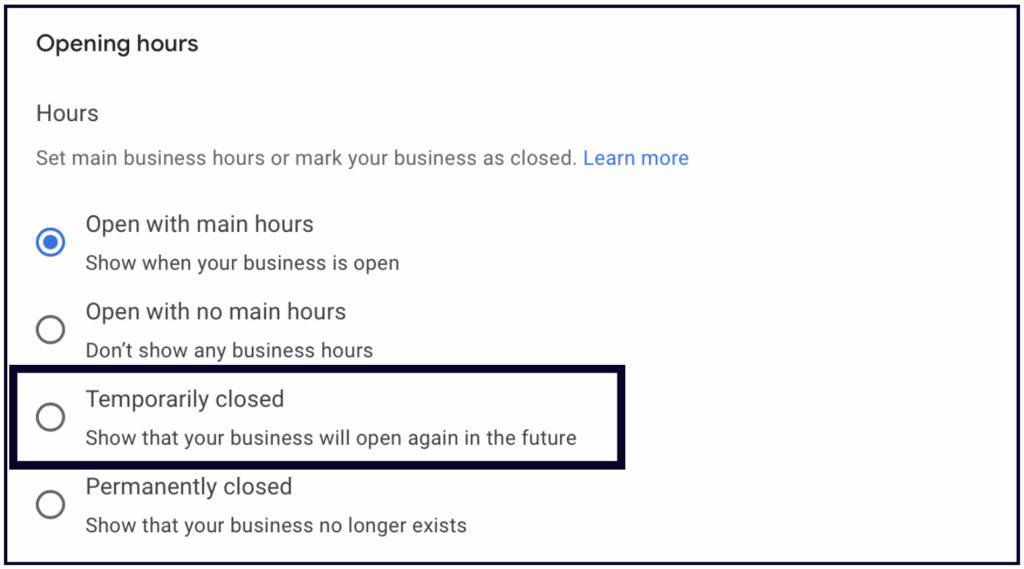
In the Opening Hours section, you will see the option to mark your business as “Temporarily closed”. Only use this option if you are actually temporarily closed, as it will prevent your Profile from ranking in the local results until you change it.
Business owners often build buzz on social media before opening their business, but they forget about Google, which is a big mistake because when potential customers google your new business, they should find information about it on Google.
Your Google Business Profile has a ton of features to help you build buzz and excitement about your soon-to-open business, so we advise you to create it 90 days before you open your doors.
Here’s what you need to do:
If you do all of this before you open, you’ll hit the ground running from day 1. Your competitors won’t even know what hit them.
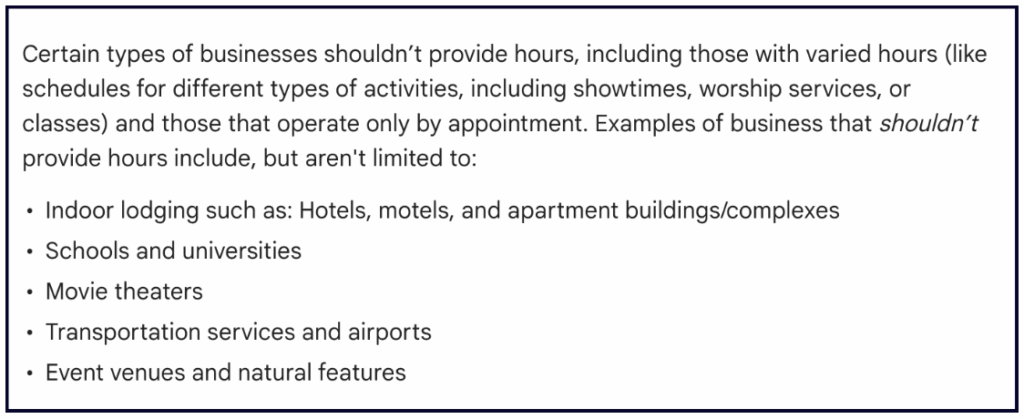
Right now there is no feature available for appointment-only businesses. If you don’t run regular hours at your location, or if someone can’t just come visit at a specific set time Google’s official stance is that you should leave the hours section blank:
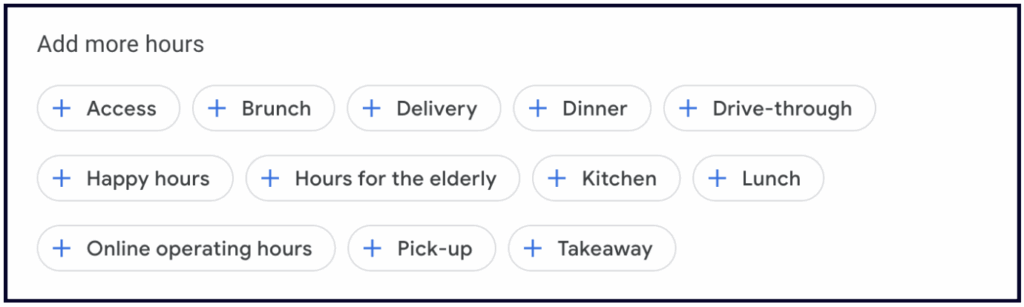
The more hours feature allows you to post special hours for specific services to your business profile, such as senior hours, pickup, delivery, drive-through, or online service hours. You can only add more hours when your regular hours are filled in. This is also a category-dependent feature.
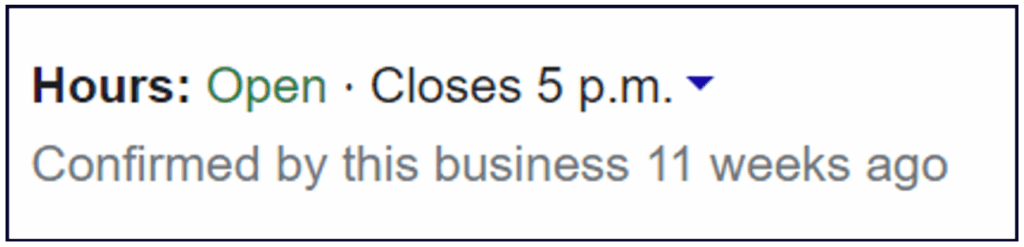
Google has also added a “confirmed by _____” label to some GBP profiles where they are verifying the published business information.
If you run a seasonal business (such as AC Repair), then we recommend that you mark your business as temporarily closed during your off season.
💡Tip: If you have a service area business, mark your business as open 1 month prior to the start of the season and set your hours according to when you answer the phone. This way, you can get your calendar booked prior to the start of the season.
✍️ Note: If your business is Brick and Mortar, then your hours must represent the times when your location serves customers in person.


Whitespark provides powerful software and expert services to help businesses and agencies drive more leads through local search.
Founded in 2005 in Edmonton, Alberta, Canada, we initially offered web design and SEO services to local businesses. While we still work closely with many clients locally, we have successfully grown over the past 20 years to support over 100,000 enterprises, agencies, and small businesses globally with our cutting-edge software and services.