🤓 The 2026 Local Search Ranking Factors are here!! Check out the report!

🤓 The 2026 Local Search Ranking Factors are here!! Check out the report!

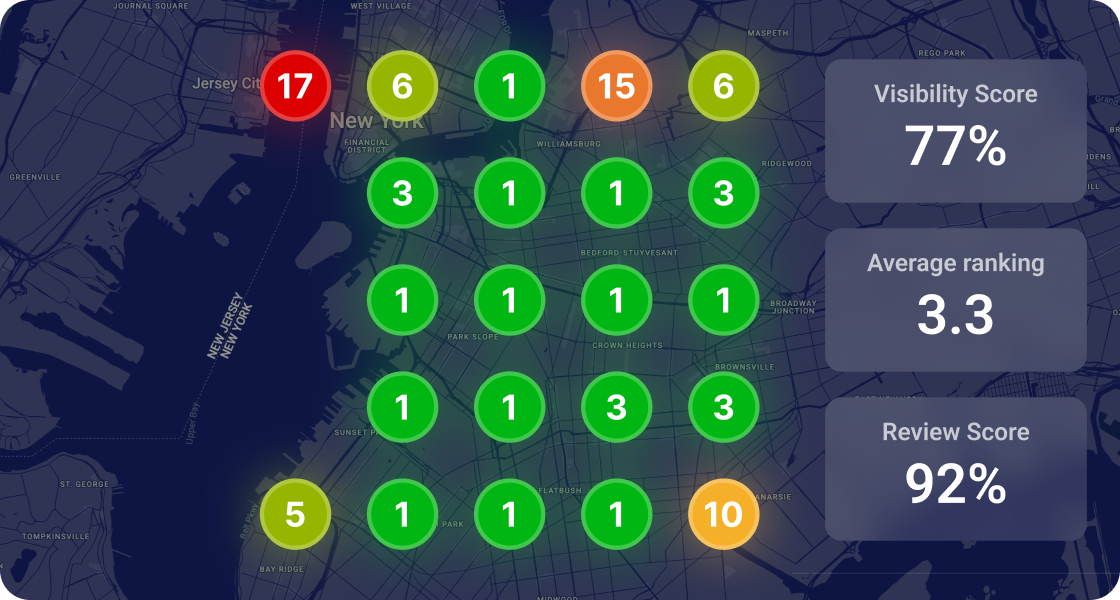

There are two ways to add Products to your Google Business Profile, and each one comes with a different set of pros and cons. Let’s go over both of them.
You can find all of Google’s details of this feature here. As Google outlines – ‘Product Editor’ is essentially for businesses that sell products that have bar codes. However, service based businesses have used Product Editor to showcase their services for a good while – this may or may not continue to work in the future.
Similarly to attributes, your Google Business Profile’s Products section can help your rankings under specific conditions.
When a user searches for a product, Google will return businesses that sell that product in the local results. Back in 2022, Mike Blumenthal confirmed that Google had increased the visibility of Products in the Local Pack, as well as the visibility of the businesses that have the products people are searching for.
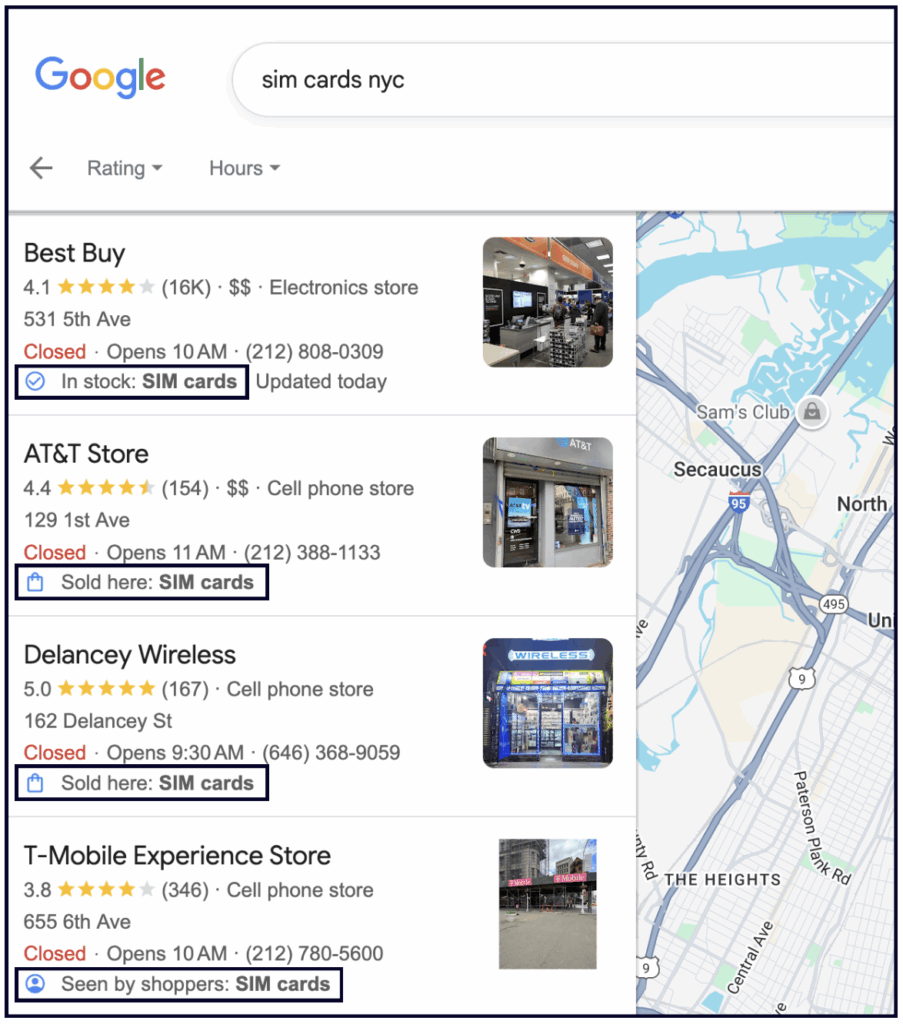
However, you can only rank for product searches if you have set up Merchant Center.
If you sign up for the local inventory app, it will connect your point of sale (POS) system to your Google Business Profile and automatically add your products to Merchant Center.
This means that your products will show up on your Profile automatically in the “See what’s in store” section:
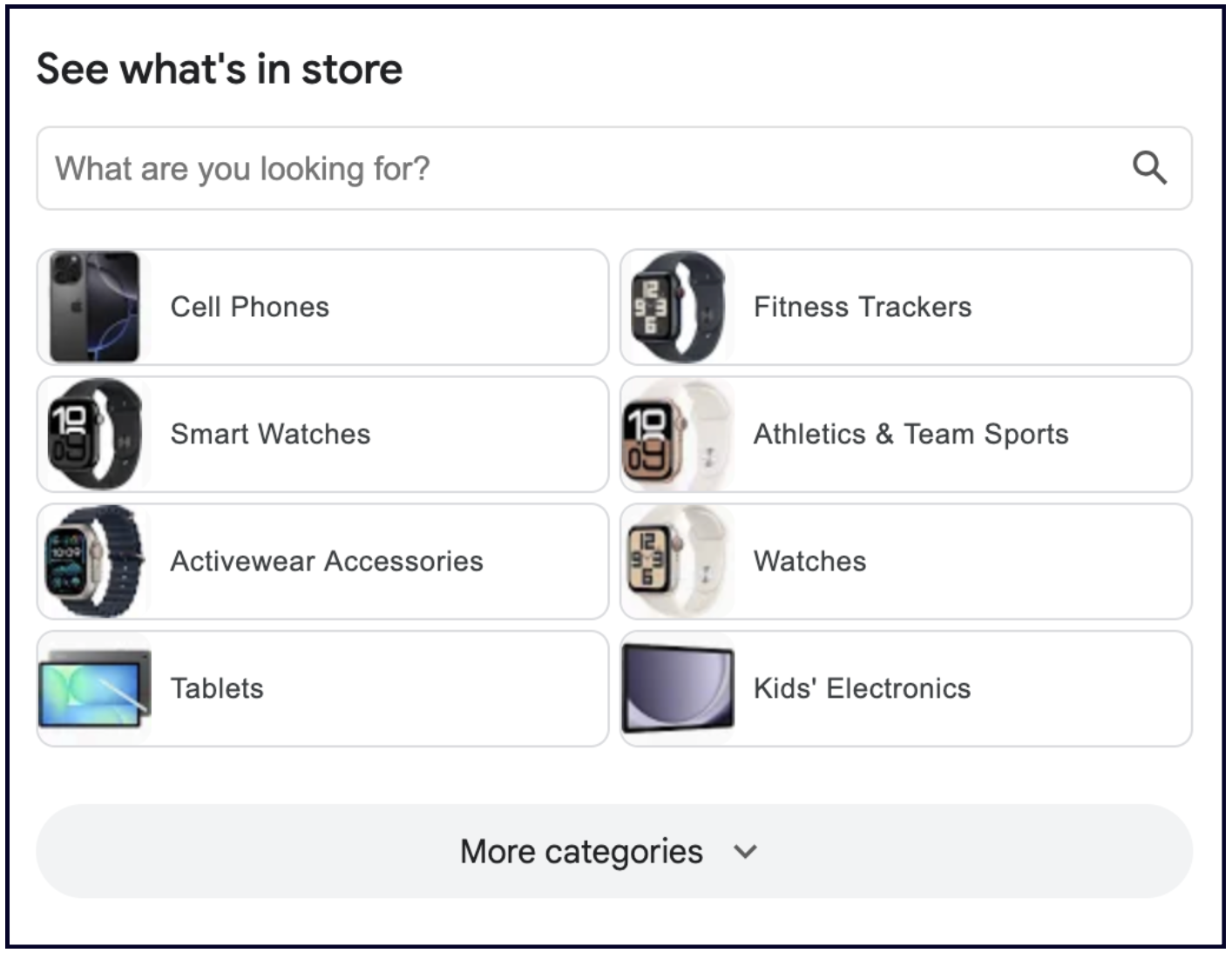
If you don’t want to use the Local Inventory app, you can just sign up for a Merchant Center account and manually add your products one-by-one (or via spreadsheet).
While this option will still help you rank for product searches, it will not display the “See what’s in store” section on your Profile.
✍️ Note: If you use the Local Inventory App or Merchant Center, you will not have access to the traditional Products section in the NMX. More on that below.
There are many benefits to Merchant Center beyond getting your Google Business Profile to rank for product searches. Some of them include:
But if Merchant Center doesn’t sound right for your business, here’s the traditional way to add Products to your Google Business Profile:
If you don’t want to use Merchant Center or Pointy, you can still list your products directly on your Google Business Profile via the Edit Products button in the NMX:
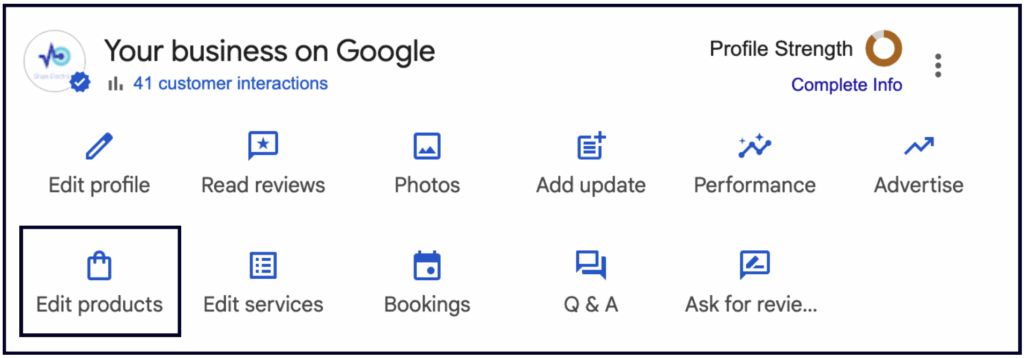
There are two downsides to adding products this way:
However, the conversion benefits of the GBP Products section make up for these downsides:
1. This is a great opportunity to send viewers directly to your product inventory.
This section is one of the few places on your Profile that has the potential to bring you direct conversions. You can add a link directly to the product page on your site, where they can order the product!
2. Products have a prominent place on the Google Business Profile.
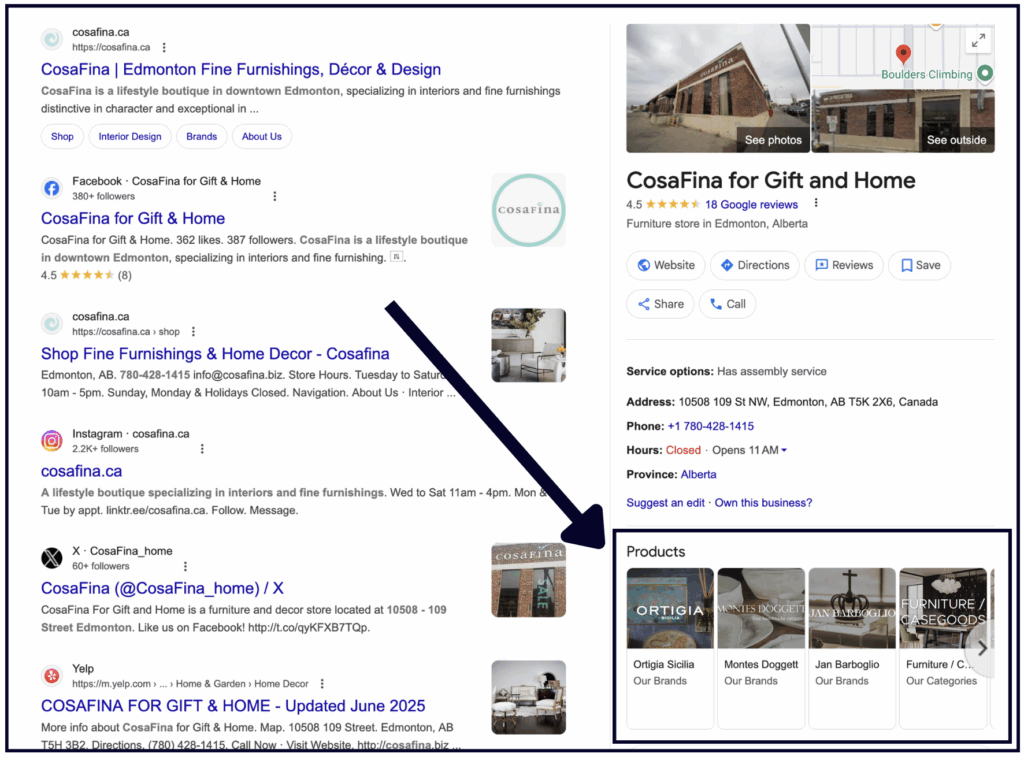
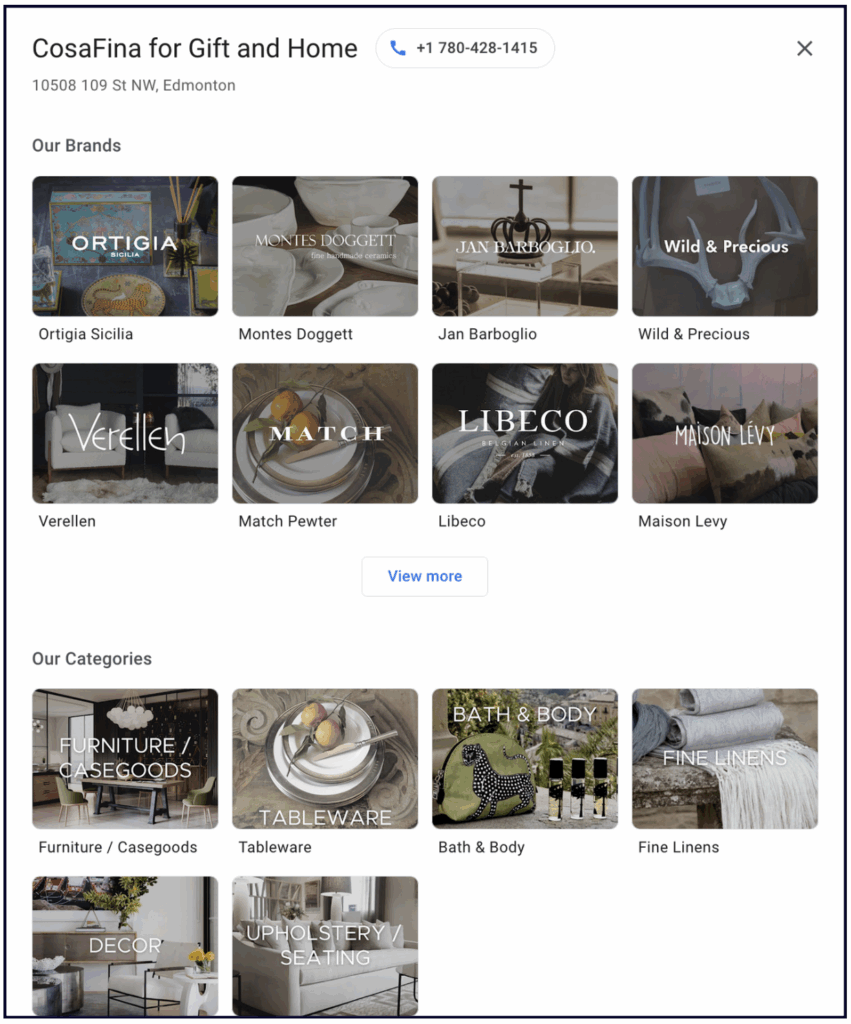
3. If you have too many products to add manually, you can just add the different categories of products that you offer.
Or switch them out and update them, highlighting the most popular products for the season.
💡Tip: If you don’t sell products, add your services to the Products section:
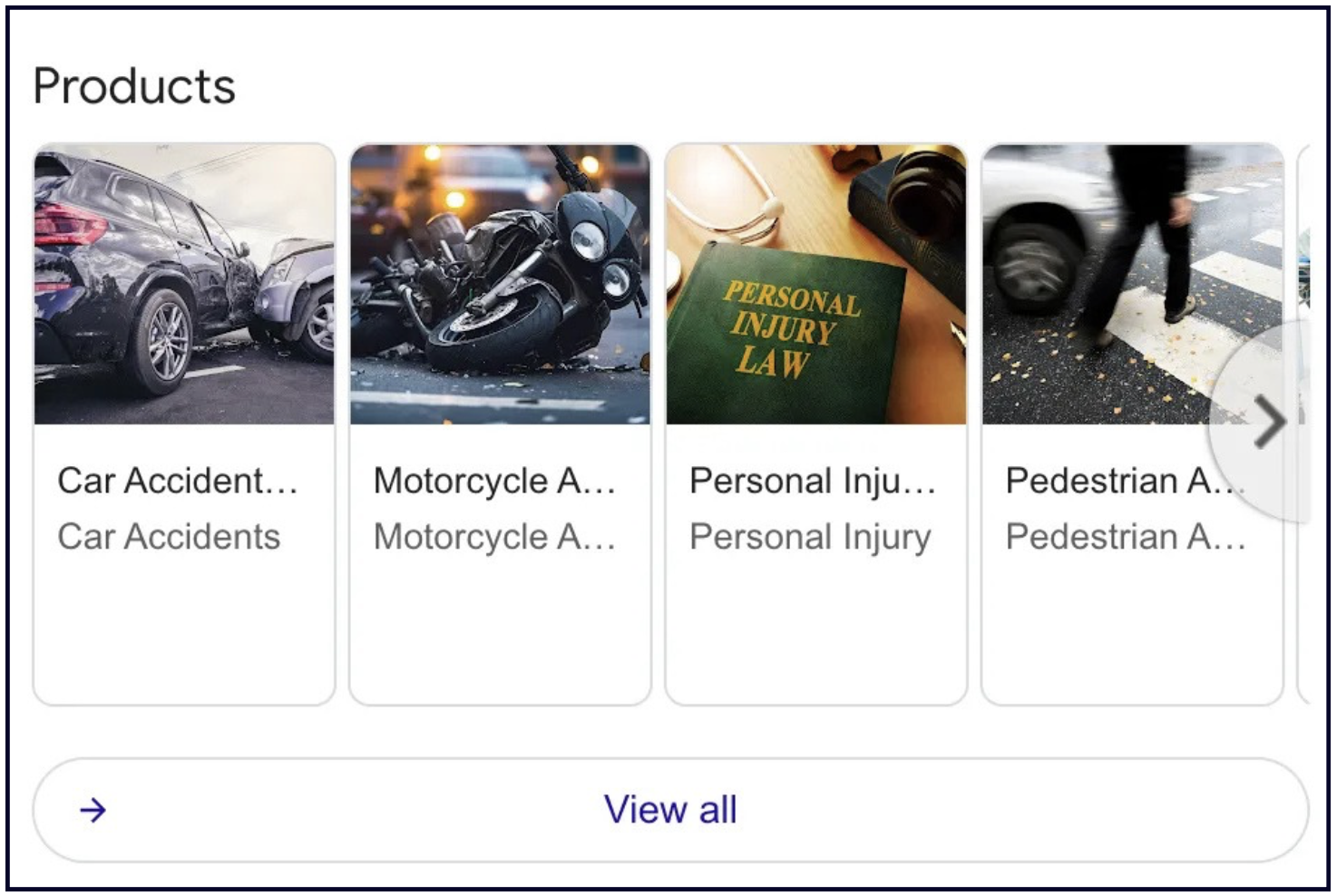
That’s what we do for our service-based clients at Whitespark. We can do it for you, too.

Whitespark provides powerful software and expert services to help businesses and agencies drive more leads through local search.
Founded in 2005 in Edmonton, Alberta, Canada, we initially offered web design and SEO services to local businesses. While we still work closely with many clients locally, we have successfully grown over the past 20 years to support over 100,000 enterprises, agencies, and small businesses globally with our cutting-edge software and services.