🤓 The 2026 Local Search Ranking Factors are here!! Check out the report!

🤓 The 2026 Local Search Ranking Factors are here!! Check out the report!


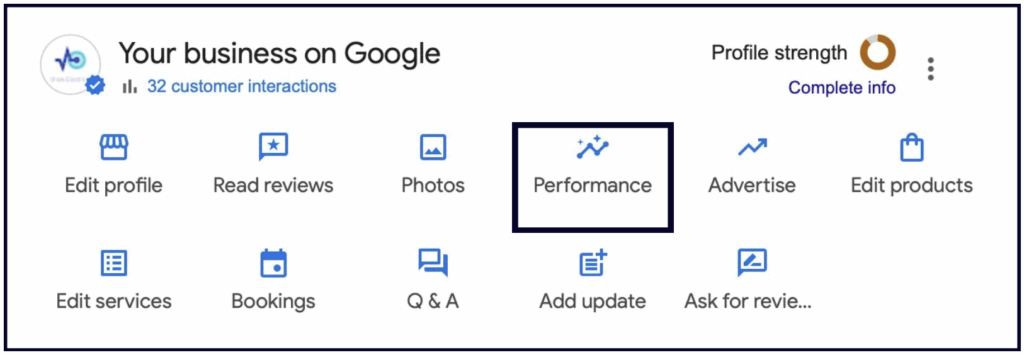
The Performance section lives in the NMX, and while there’s much to be wanted from it, it can give you a general idea of how your business is doing on Google.
This is what Google has to say about Google Business Profile Performance (previously known as ‘insights’)
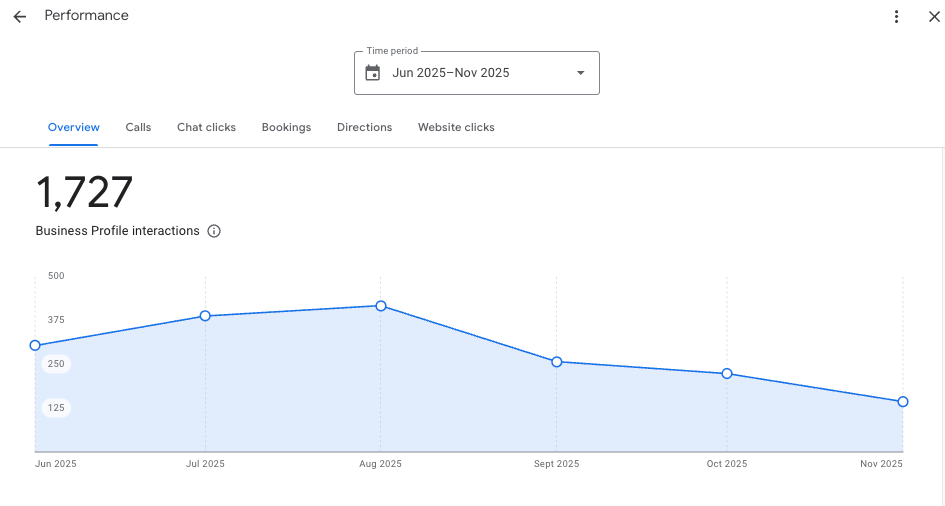
1. An overview of all your Profile interactions
In the Overview section you will find a chart that tells you how many total interactions users had with your Profile. You can adjust the time period from the drop-down menu at the top:
If you scroll down, you will also find a breakdown of how people found your Profile (Google Search, Google Maps, desktop, or mobile), as well as what keywords you ranked for:
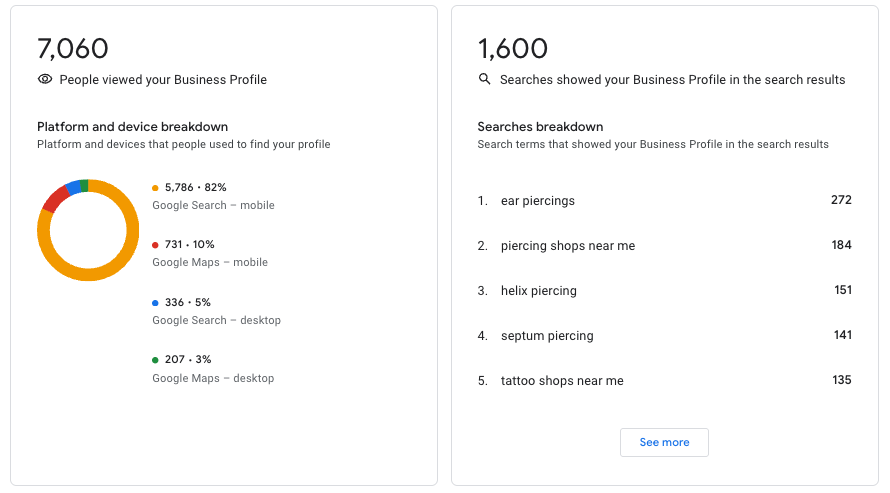
💡Tip: If you click the “See more” button in the Searches Breakdown section on the right, it will take you to a whole list of keywords that you rank for, including how often you appear for each term.
This section can be very valuable for identifying optimization opportunities and content ideas:
☝️🤓 Cool trick: You can export all this data into a spreadsheet. Watch this video to learn how.
2. Separate tabs for Calls, Chat Clicks, Bookings, Directions and Website clicks
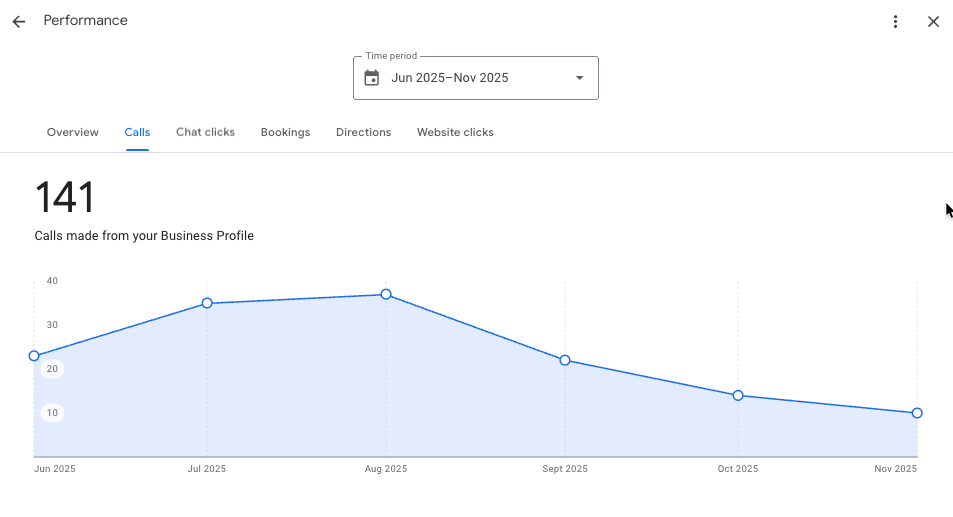
These tabs contain charts the total number of calls, chat clicks, bookings, driving directions or website clicks your Profile got during the selected period.
✍️ Note: The number of calls shown in your Performance section only represents the number of people who clicked the “Call” icon on mobile. This makes Google’s call data largely inaccurate because it doesn’t account for all the people who saw your GBP on desktop, copied your number and called you.
A much more accurate way to track your GBP calls is to use a call tracking number. A call tracking number is a unique phone number that you can use on your GBP (or on any marketing campaigns). It allows you to track every call made from your GBP and lets you see various metrics, such as:
Here’s how to use a call tracking number on your GBP:
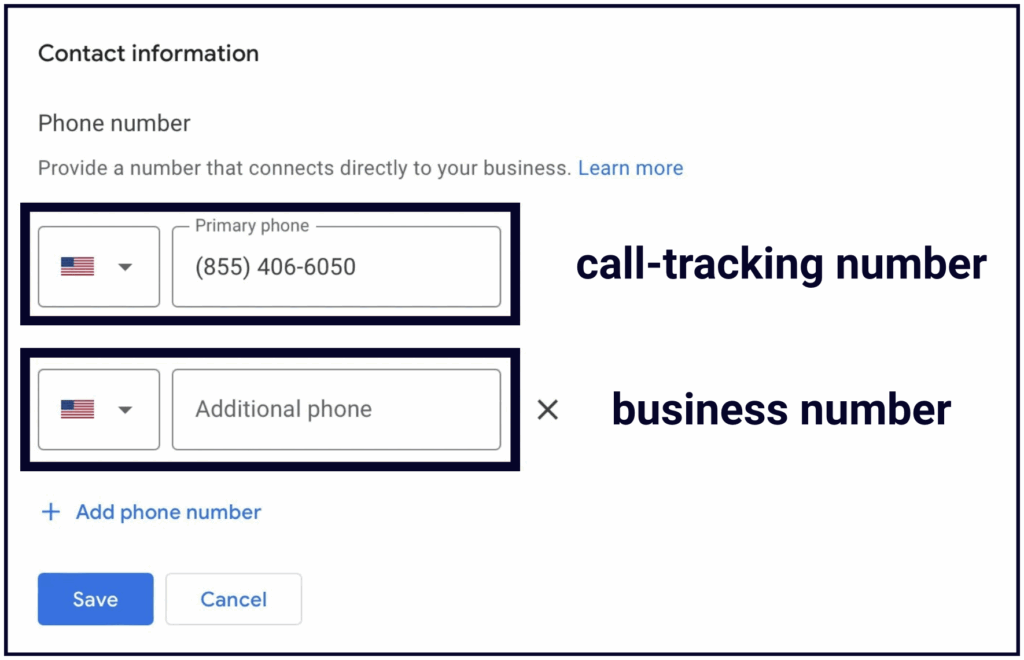
Only the primary number is shown on the GBP, so now you can track all your calls, not just the ones made on mobile.
If you’re worried that this will mess up your citation consistency, don’t be. Since you’ve put your business number as an additional number, all your listings on the web will stay connected to your Profile, and Google will have no problem associating your citations with your GBP.

Whitespark provides powerful software and expert services to help businesses and agencies drive more leads through local search.
Founded in 2005 in Edmonton, Alberta, Canada, we initially offered web design and SEO services to local businesses. While we still work closely with many clients locally, we have successfully grown over the past 20 years to support over 100,000 enterprises, agencies, and small businesses globally with our cutting-edge software and services.