
🤓 The 2026 Local Search Ranking Factors are here!! Check out the report!

We like to think of Google Posts as free ad space on Google. Updates are visible to searchers directly in the search results and on your Profile, and utilizing them well can make your business more attractive to new customers.
✍️ Note: Some categories within GBP do not qualify for the Posts feature (for example pharmacies or cannabis stores).
The most important thing to note here is that Google Posts are not the same as social media posts. While social media posts should not be too salesy as to not repel users, Google Posts are the complete opposite — if a searcher is looking up businesses, they are looking to buy; this is why you should use your Google Posts to convince and sell.
The second most important thing is that there are still many businesses that are not taking advantage of what this GBP feature has to offer. This means that if you utilise them well, Google Updates can give you a great competitive advantage.
In this chapter we are covering:
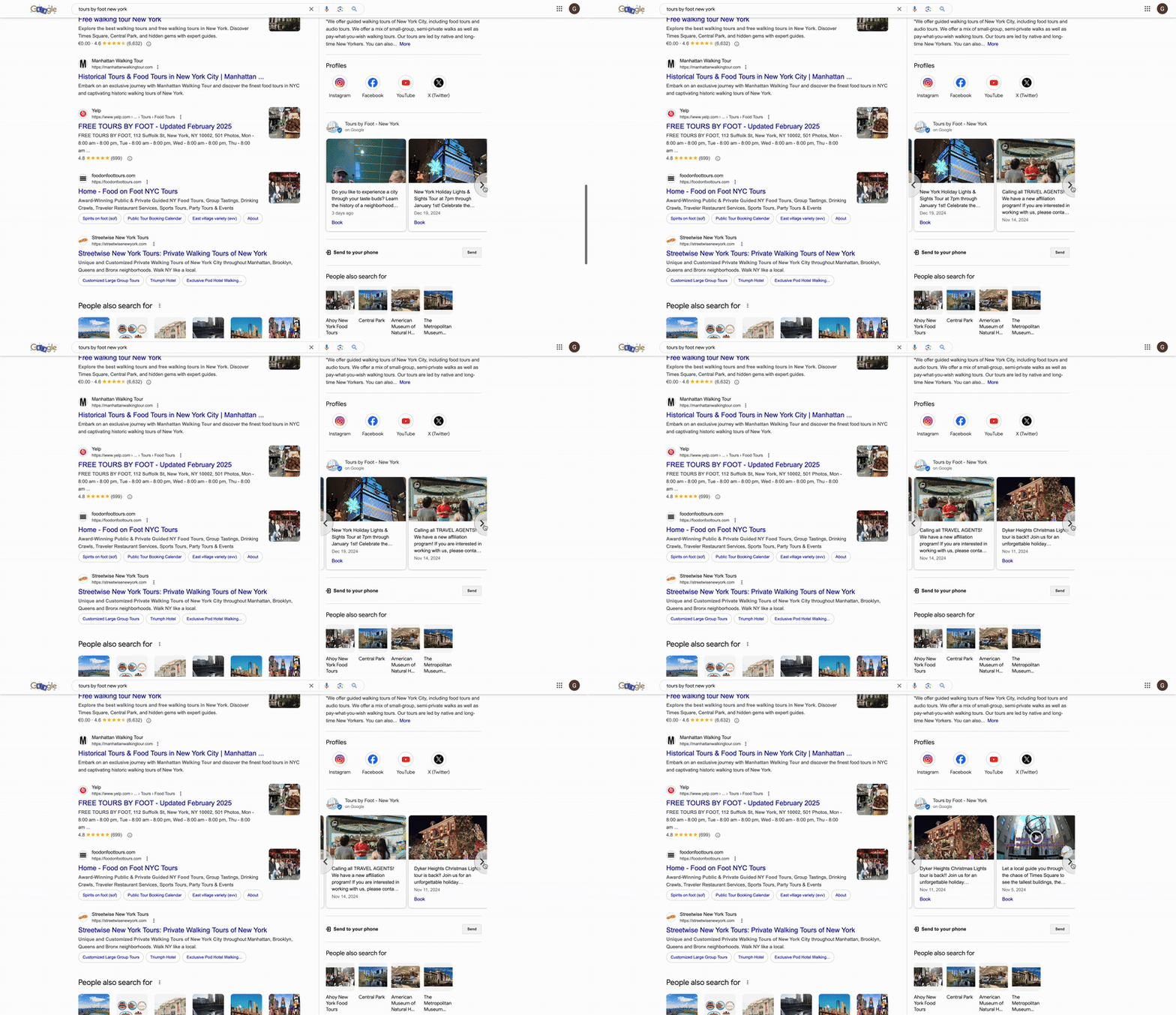
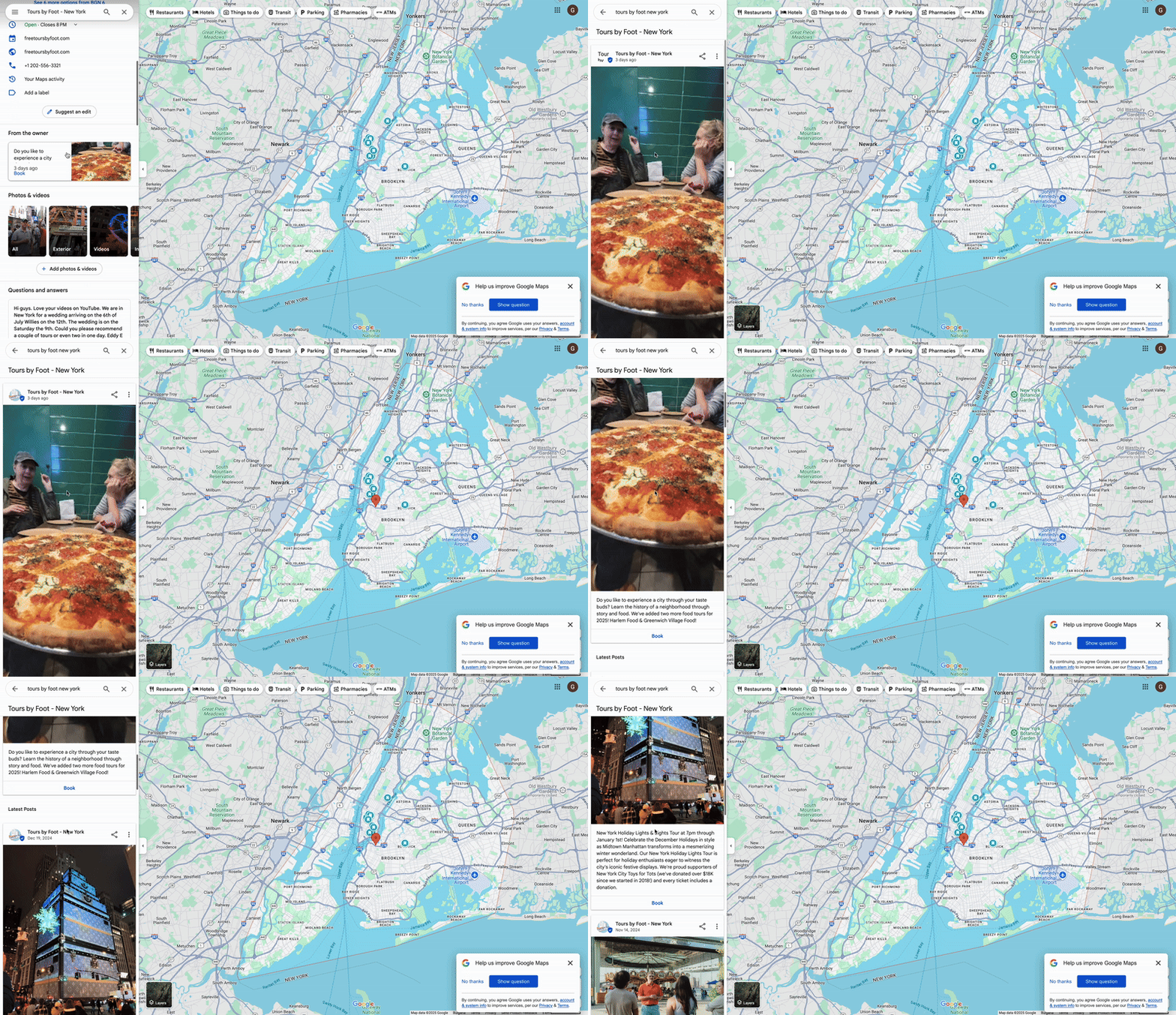
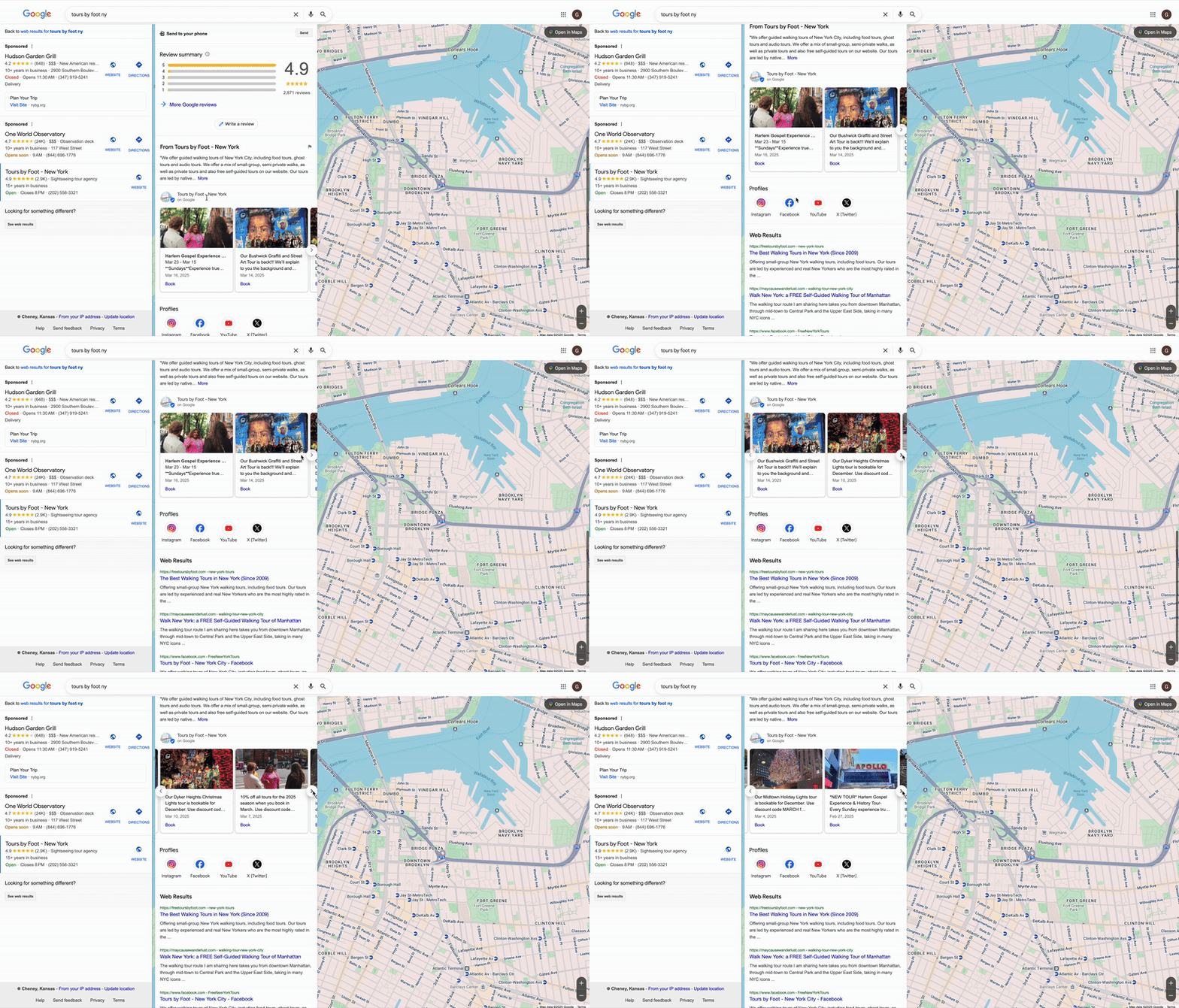
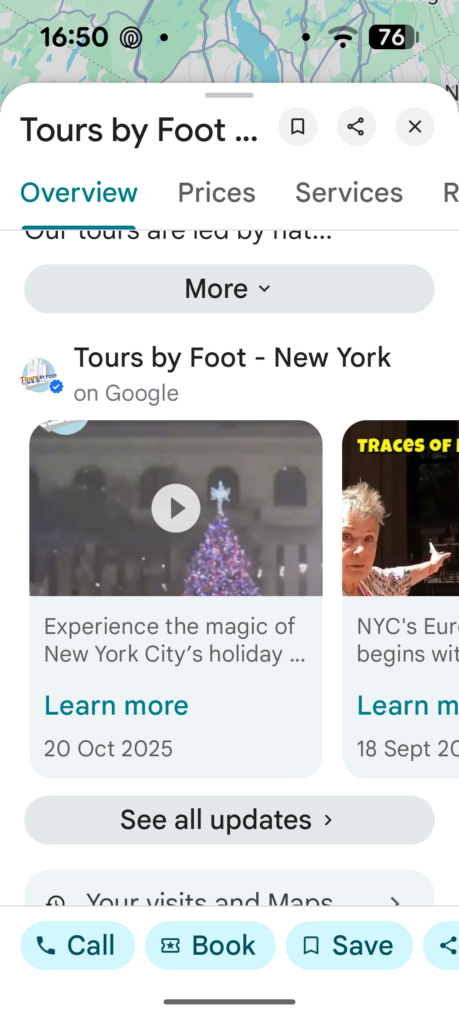
Google Posts show up in different places, across different surfaces. As like many SERP features Google changes their placement in the SERP on a regular basis – but here are a few different ways that Google Posts show up:
Desktop Google Search
Desktop Google Maps
Desktop Local Finder
Mobile Google Maps App
To publish a Google Update, go to the NMX and click the “Posts” button:
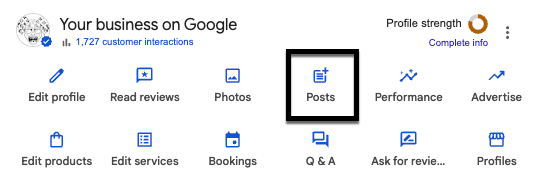
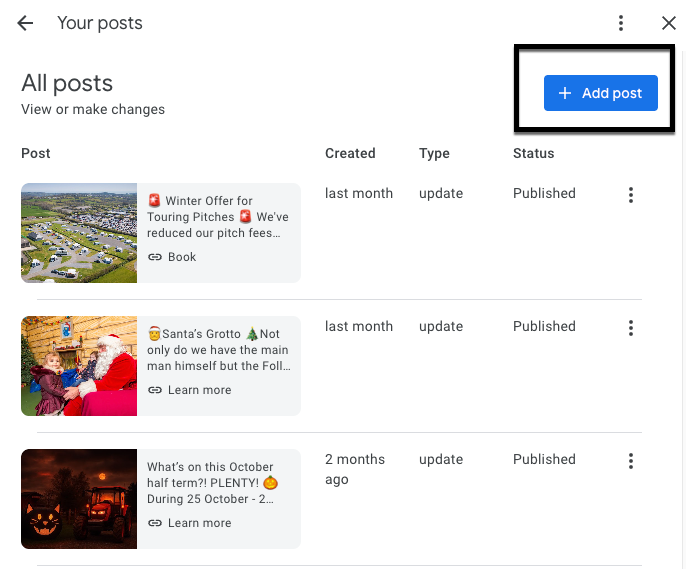
There are three post type options: Update, Offer, and Event. We explain what each of those entails in a bit. Click ‘add post’ to populate your new post.
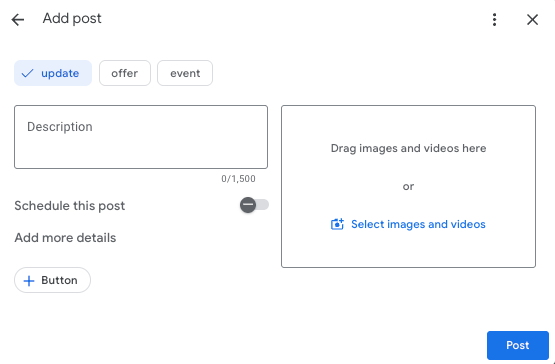
No matter which option you choose, you’ll be asked to add a photo or video, a description, and an optional button to your post.
Photos must be at least 400 × 300 pixels, and we find that the ideal dimensions are 1200x900px. Images that don’t fit those dimensions will be shown with a black band down each side.
Our recommendation is to always test the image, check the preview, and expect that if there is an optimal size that it is likely to change frequently.
For videos, Google’s guidelines say that the maximum upload size of 75MB, 30 seconds in length, and a resolution of 720p or higher.
💡Tip: We have found that the 30 second limitation isn’t really true. You can post a longer video as long as it’s smaller than 75MB.
Videos are a great way to capture the user’s attention and provide them with more content than just text alone.
💡Tip: You can add up to 10 photos and/or videos for What’s New, Event, and Offer Updates. They will show up in a carousel format on the post:
Each post can have up to 1,500 characters. However, only the first ~16-20 words (even fewer on mobile) show up in your Knowledge Panel results. So, make the first few sentences count.
Buttons on desktop appear as blue buttons and on mobile and in the Maps app as text links. You can add a CTA on every single post type, and your options include:
💡Tip: Don’t forget to add UTM parameters to the links in your posts to track their performance.
Most businesses treat Google Posts like social media posts, but you shouldn’t.
Your Google Business Profile is different from your social media accounts. People on social media want to be entertained, learn new things, or see what’s happening with their friends. They are generally not looking to buy things.
In contrast, people visiting your Google Business Profile are actively looking to buy.
Therefore, Google Updates should not be about entertaining or educating the reader, or about what happened at your firm’s holiday party. Instead, they should be about your services, products, specials, and offers.
Below is a breakdown of every type of Google Update you can use and what to use it for.
Let’s dive into the three standard post types available and the perks they provide.
These are the standard Updates that you’ll use most often. Some example use cases would be:
This Update type gives you the following fields:
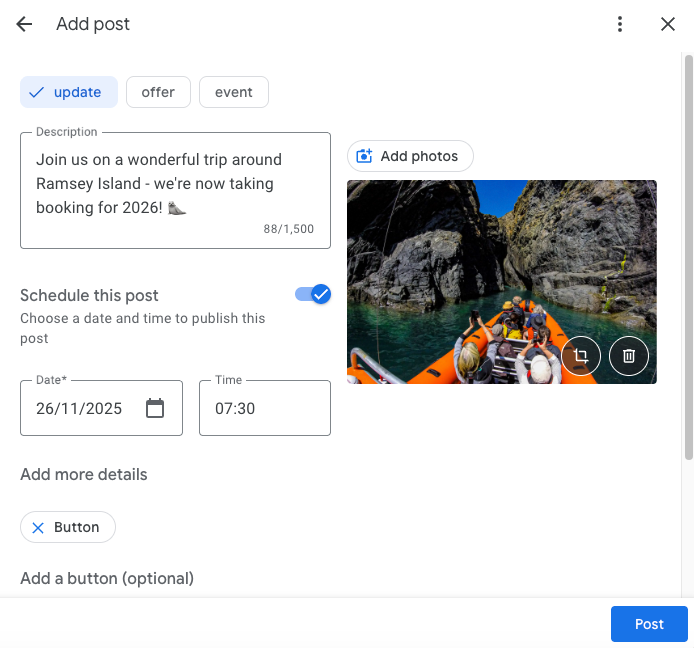
💡Tip: Always tag your button links with UTM tags so you can track the clicks they get.
Offer posts allow you to promote sales, coupons, discounts, or specials that your business is currently providing. You can even create an exclusive promotion just for your GBP if you wish (among the lines of “Mention you found this code on our Google Profile to get 10% off”).
These posts include a yellow tag on desktop and mobile search and blue tag in the Maps app, which definitely draw a searcher’s eye (see picture below).
This Update type gives you the following fields:
More details (optional):
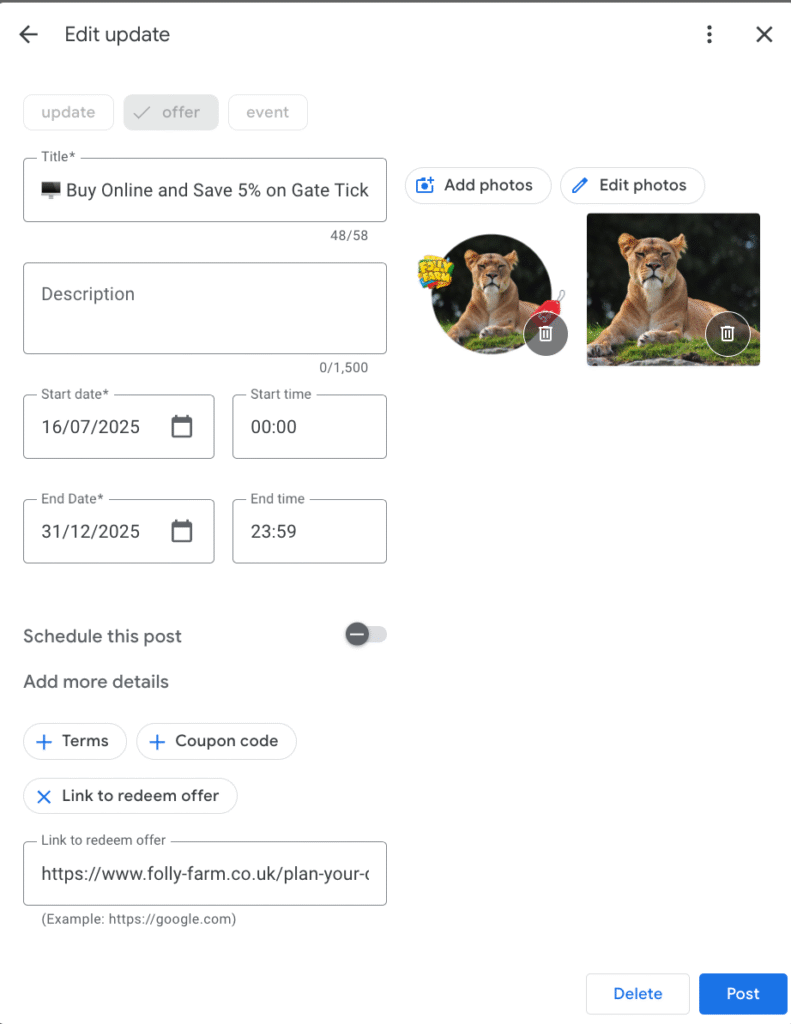
💡Tip: Filling out the voucher code is a fantastic way to track the exact conversions you are getting from your Google Business Profile. Having a code also enhances the look of the Offer post, while making it more enticing and exclusive.
Events posts can be used to promote any event you are involved in, attending, hosting, or supporting. It can be an in-store, neighborhood, or even charity event that your business may be passionate about.
This Update type gives you the following fields:
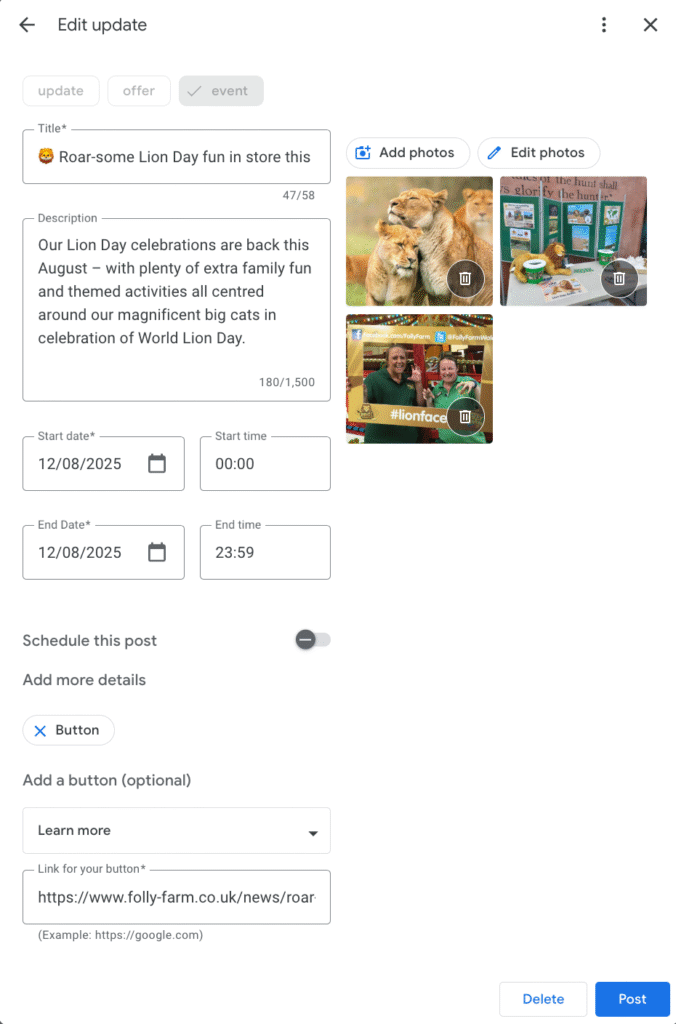
There is no limit to the number of Updates you can publish. We publish them once a week for our SEO Services clients, which is the cadence we generally recommend.
Google Updates used to expire after 7 days, but since January 2021, they no longer have an expiration date.
There is a relatively new feature on Business Profiles where Google pulls posts from the business’s social media accounts (like Facebook, Instagram, X) and displays them on the Google Business Profile.
As of February 2025, Google only pulls your social media posts into your profile when it’s an explicit brand search on a mobile browser, but they may roll this out to desktop and other interfaces in the future.
In our opinion, this decision by Google was not ideal because, as we said earlier, your Google Business Profile serves a different purpose from your social media — Google is for being salesy, and social media is for building your brand’s character and engaging with your customers. We have a whole article written about this topic and how to balance both types of posts on your GBP, but the bottom line is:
If you decide to link your socials to your Business Profile (or Google does it automatically for you), keep in mind that some of your social posts might make it onto your GBP, so write them accordingly.
As we mentioned before, UTM tracking is really important throughout your entire GBP, so be sure to incorporate a UTM tag in any URL you add to your Post to help increase the accuracy of your reporting. Use this template, or tweak it to match your existing tagging templates.
Hashtags are unnecessary and don’t work the same way they do on social platforms like Twitter or Instagram, so just save yourself the time and characters and don’t use them.
One of our favorite pro tips when it comes to Google Updates is using emojis. They are great for adding some brand personality to your content, and, more importantly, they tend to grab viewers’ attention.
There are various tools, plugins, and apps available to help you schedule your posts (like Metricool, Publer, Vista Social, or Buffer). And you can use an app like Canva or Adobe Express to design your posts.
We use Canva to design/create posts and Publer to schedule them for our clients in our SEO Services.
The following functionality is now available in Google Posts:
There are content policies for Posts, so certain language/words, spam, inappropriate images, anything blurry, and so on can be considered a violation, which means your Update will be rejected.
Google also does not allow you to add your business phone number to your post content. They refer to this as “phone stuffing” and they recommend that you add the “Call now” button instead.
Google Updates are like free Google ads: they allow you to showcase your business, encourage appointments and bookings, highlight specials and events, and get direct conversions from your Google Business Profile.
If you’re not already taking advantage of this feature in your Google Business Profile, it’s time to start incorporating posts into your weekly local SEO work to increase engagement and make your branded search results stand out.

Whitespark provides powerful software and expert services to help businesses and agencies drive more leads through local search.
Founded in 2005 in Edmonton, Alberta, Canada, we initially offered web design and SEO services to local businesses. While we still work closely with many clients locally, we have successfully grown over the past 20 years to support over 100,000 enterprises, agencies, and small businesses globally with our cutting-edge software and services.